
 Necesse
Admins and moderators help manage your Necesse server by handling player issues while you're away. Moderators can kick and ban disruptive players, while admins gain additional access to cheat commands and world management.
The player must have joined the server at least once before you can set their permissions.
Permission Levels
| Role | Description |
|---|---|
| Moderator | Can kick and ban players |
| Admin | All moderator permissions plus access to cheat commands |
For a full breakdown of permissions, see Understanding Permission Levels on Your Necesse Server.
Adding an Admin
- Navigate to the Wabbanode Control Panel and select your Necesse server.
- Click the Console tab.

- Run the following command:
/permissions set <playername> admin, replacing<playername>with the player's name.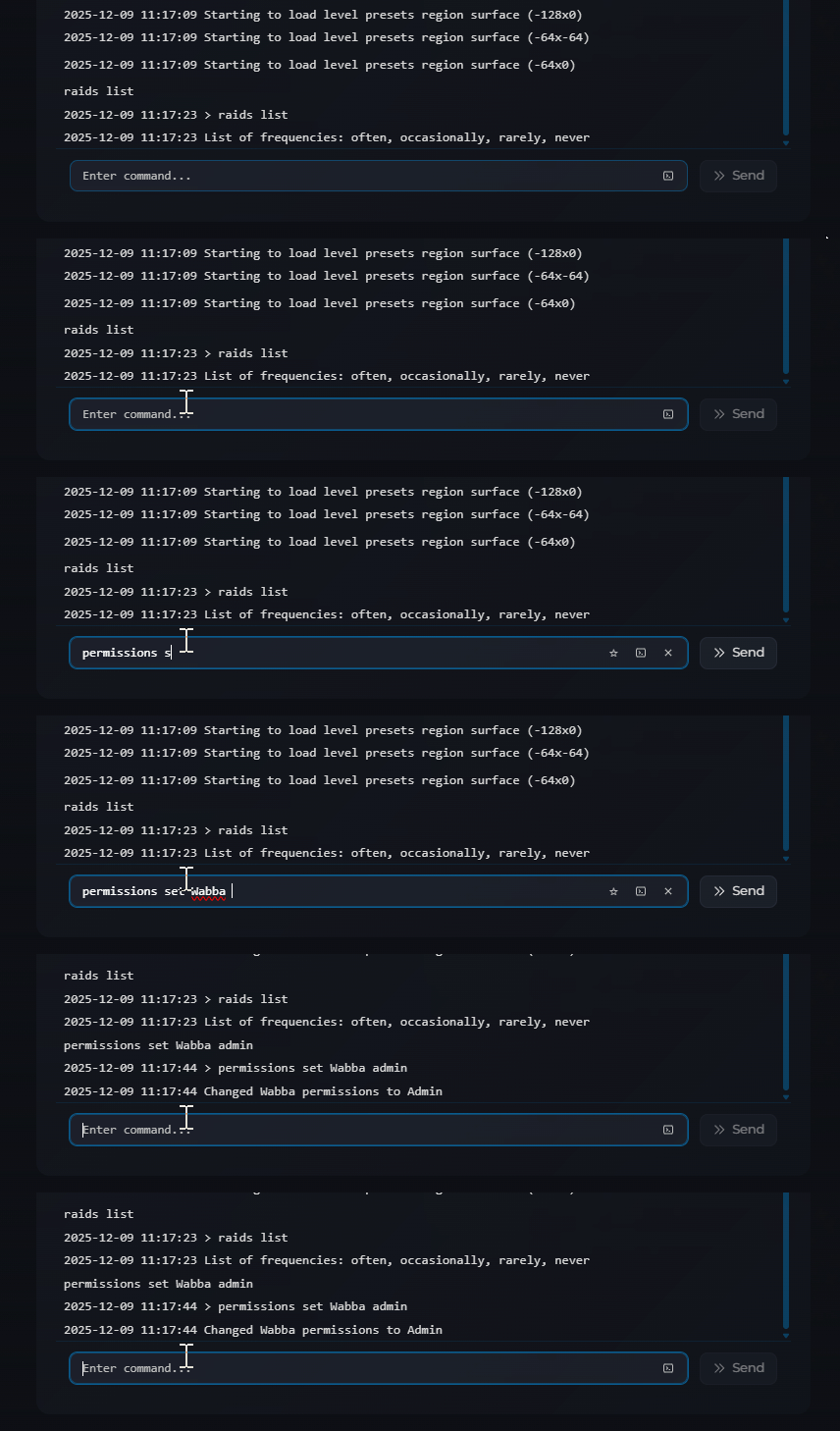
Adding a Moderator
- Navigate to the Wabbanode Control Panel and select your Necesse server.
- Click the Console tab.
- Run the following command:
/permissions set <playername> moderator, replacing<playername>with the player's name.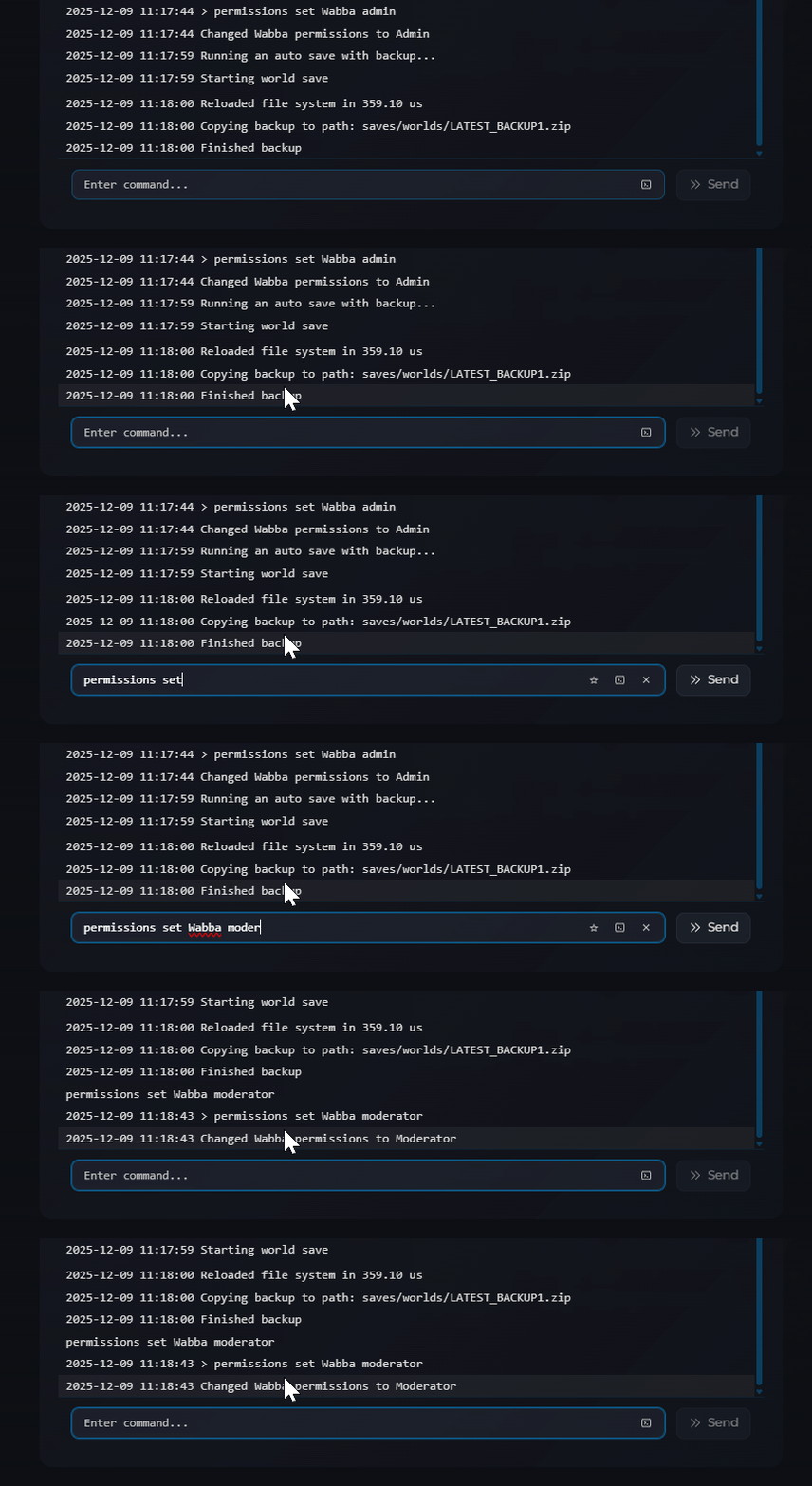
The player will immediately receive their new permissions.
Removing Permissions
To reset a player back to normal user permissions use the command /permissions set <playername> none in console.
You now know how to make anyone a moderator or admin on your Necesse server, trusted players can now help manage the server with their new permissions.
