
 Necesse
Banning permanently stops a player from joining your server until you remove the ban. Use this for repeat offenders, cheaters, griefers, or anyone causing serious disruptions that warrant permanent removal.
If you only temporarily want to remove a player from your server you can also kick then we have a guide that will show you How to Kick Players from Your Necesse Server.
Banning a Player
- Navigate to the Wabbanode Control Panel and select your Necesse server.
- Click the Console tab.

- Run the following command:
/ban <playername>, replacing<playername>with the player's name.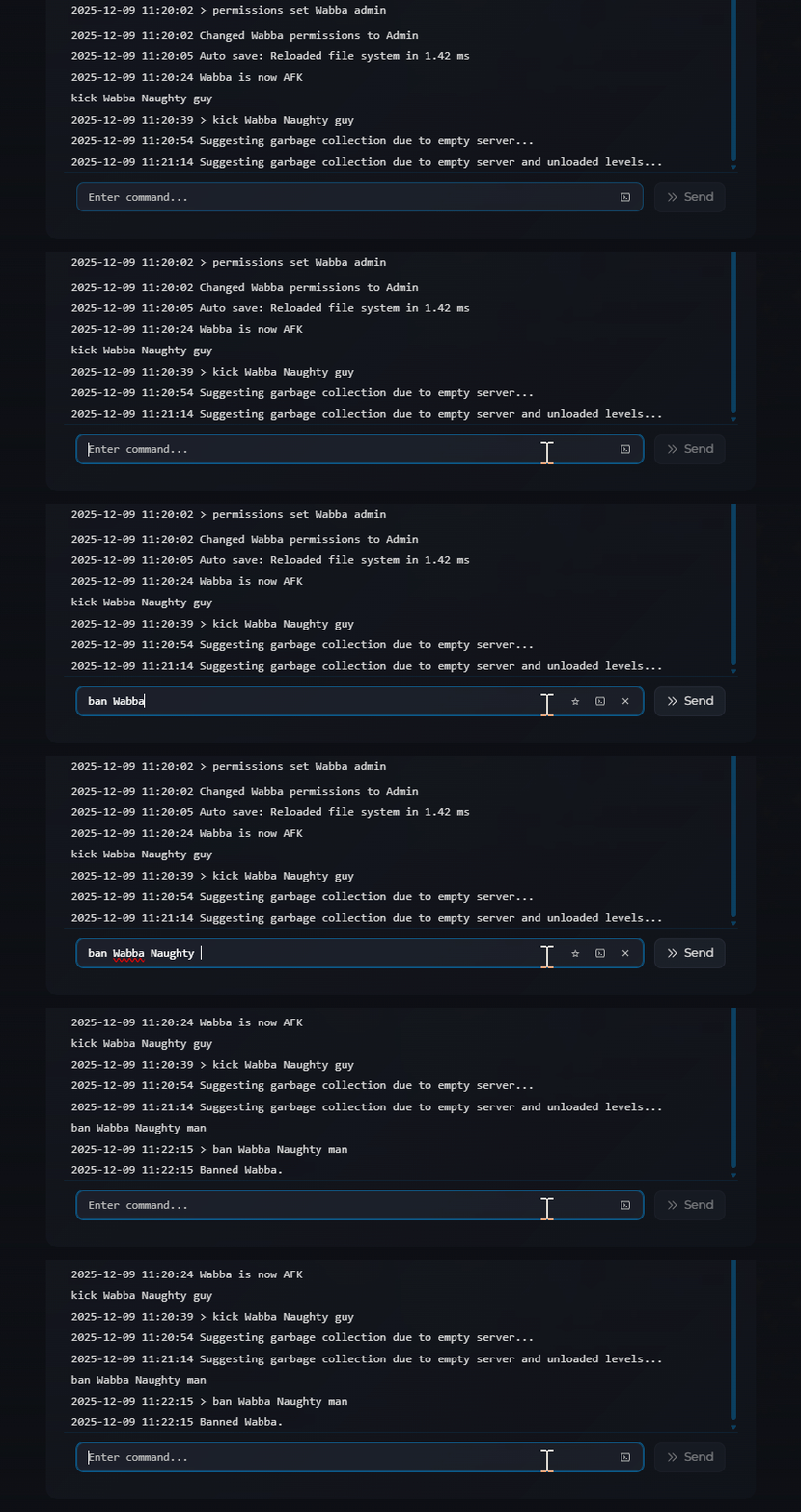
You can also include a reason using the command /ban <playername> <reason>.
The player will be immediately disconnected and unable to rejoin.
Unbanning a Player
- Navigate to the Wabbanode Control Panel and select your Necesse server.
- Click the Console tab.
- Run the following command:
/unban <playername>, replacing<playername>with the player's name.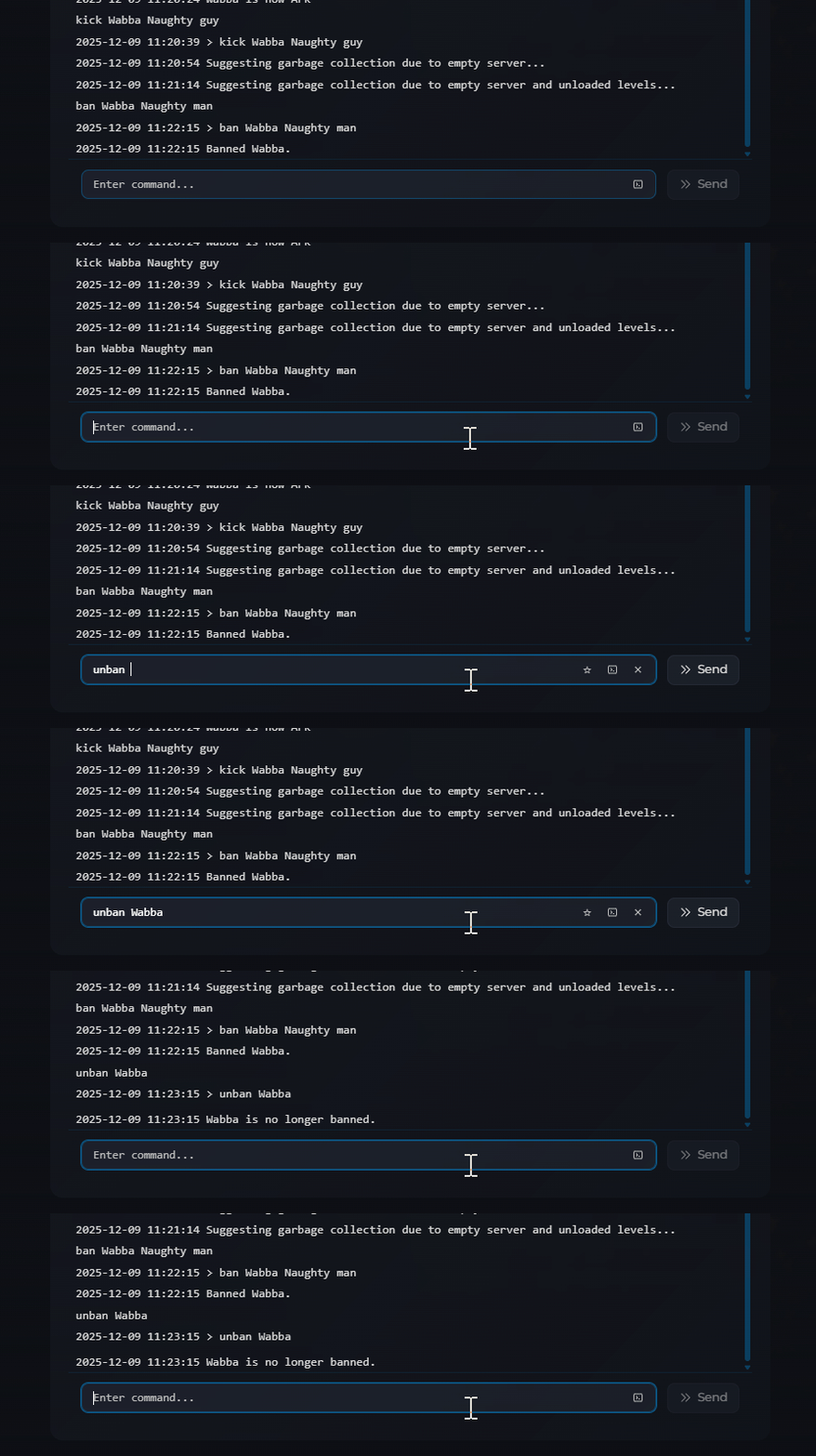
The player can now rejoin the server.
Banned players cannot rejoin until you remove them from the ban list using /unban.
