
 Satisfactory
By default, Satisfactory keeps only 3 rotating autosaves. When a new autosave is created, the oldest one is deleted. You can increase this number to keep more backup points.
More autosaves use more disk space. Large factories can have save files of 50-100MB or more. Plan your storage accordingly.
Changing the Autosave Count
- Navigate to the Wabbanode Control Panel and Stop your server.

- Go to the Files tab.

- Navigate to
/FactoryGame/Saved/Config/LinuxServer/.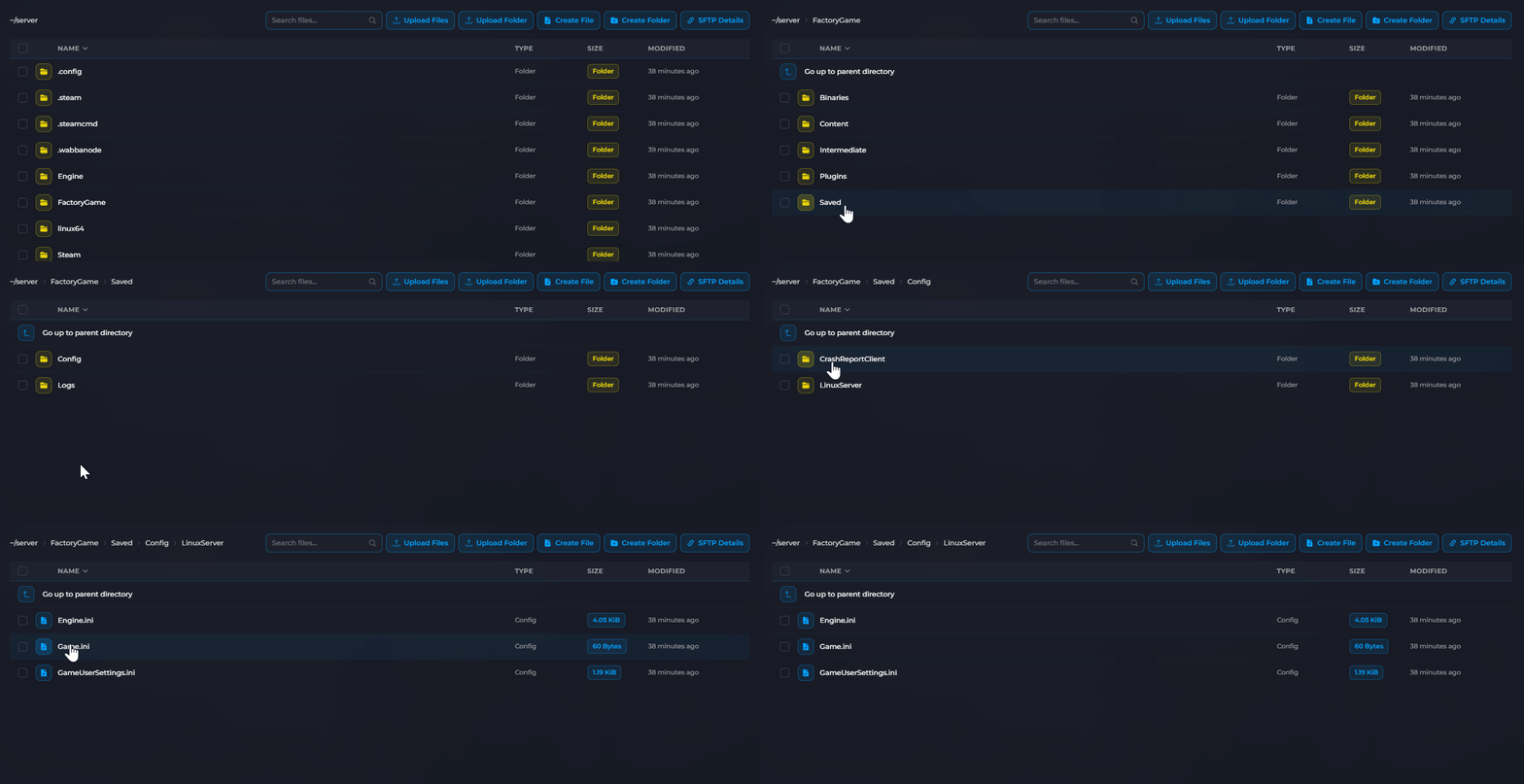
- Open or create
Engine.ini.
- Add the following lines:
[/Script/FactoryGame.FGSaveSession]
mNumRotatingAutosaves=10
 6. Replace
 10 with your desired number of autosaves.
7. Click Save and Start your server.
Why Keep More Autosaves?
- Rollback options: Revert further back if issues occur
- Corruption protection: More recovery points if a save corrupts
- Progress tracking: See your factory at different stages
Storage Calculation
Estimate storage needed:
Storage = (autosave count) × (average save size)
For example: 20 autosaves × 75MB = 1.5GB
Autosave backup count is configured. Your server will now keep more autosave history.
