
 Satisfactory
Satisfactory features seasonal events like FICSMAS (a holiday-themed event with special items and decorations). If you prefer a standard game experience without seasonal content, you can disable these events.
Disabling seasonal events does not remove already-placed seasonal items. It only prevents new seasonal content from appearing.
Disabling Seasonal Events
- Navigate to the Wabbanode Control Panel and Stop your server.

- Go to the Files tab.

- Navigate to
/FactoryGame/Saved/Config/LinuxServer/.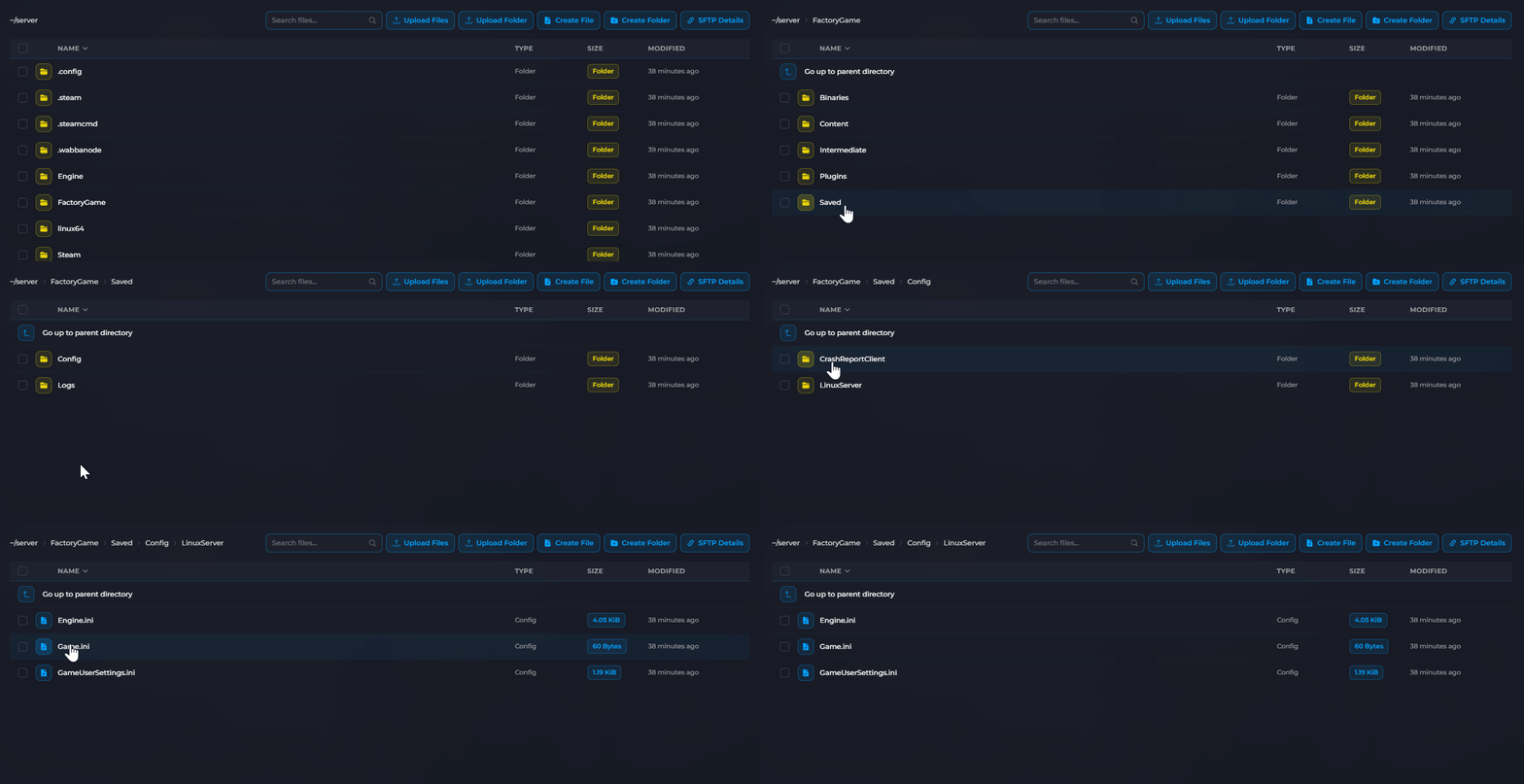
- Open or create
GameUserSettings.ini.
- Add the following lines:
[/Script/FactoryGame.FGGameUserSettings]
FG.DisableSeasonalEvents=1
 6. Click Save and Start your server.
Re-Enabling Seasonal Events
To turn seasonal events back on:
- Open
GameUserSettings.inias above. - Change the value to
0:
FG.DisableSeasonalEvents=0
- Save and restart your server.
About Seasonal Events
FICSMAS
- Occurs during the December holiday season
- Features special recipes, items, and decorations
- Includes FICSMAS-themed power slugs and equipment
Impact on Gameplay
| Setting | Effect |
|---|---|
0 (Enabled) |
Seasonal decorations and items available during events |
1 (Disabled) |
Standard game experience year-round |
Seasonal events are configured. Your server will display or hide event content based on your setting.
