
 Rust
RustCustomising loot tables allows you to control what items spawn in crates, barrels, and other loot containers. Using the Better Loot plugin, you can adjust loot rarity, add new items, and create unique loot experiences.
This guide requires uMod to be installed on your server. See How to Install uMod (Oxide) on Your Rust Server for instructions.
Installing the Better Loot Plugin
- Download the Better Loot plugin from uMod.
- Upload the plugin file to your
oxide/pluginsfolder. See How to Install uMod Plugins on Your Rust Server for detailed instructions. - Start your server to generate the config file.
Using the Looty Web Configuration Tool
Better Loot V4 includes an online configuration tool that makes customising loot tables much easier than editing JSON files manually.
- Visit looty.cc/betterloot-v4 in your web browser.
- Configure your loot settings using the visual interface.

- When finished, click the Download button to generate a Looty ID.

- Click Download via command.

- Copy the Looty ID provided.

Applying Your Looty Configuration
- Navigate to the Wabbanode Control Panel and select your Rust server.
- Click the Console tab.

- Run the following command, replacing
{looty-id}with your ID:
looty {looty-id}
- The plugin will automatically download and apply your configuration.
Manual Configuration
If you prefer to edit settings manually, you can modify the config file directly.
- Navigate to the Wabbanode Control Panel and select your Rust server.
- Click the Files tab.

- Navigate to the
oxide/configfolder.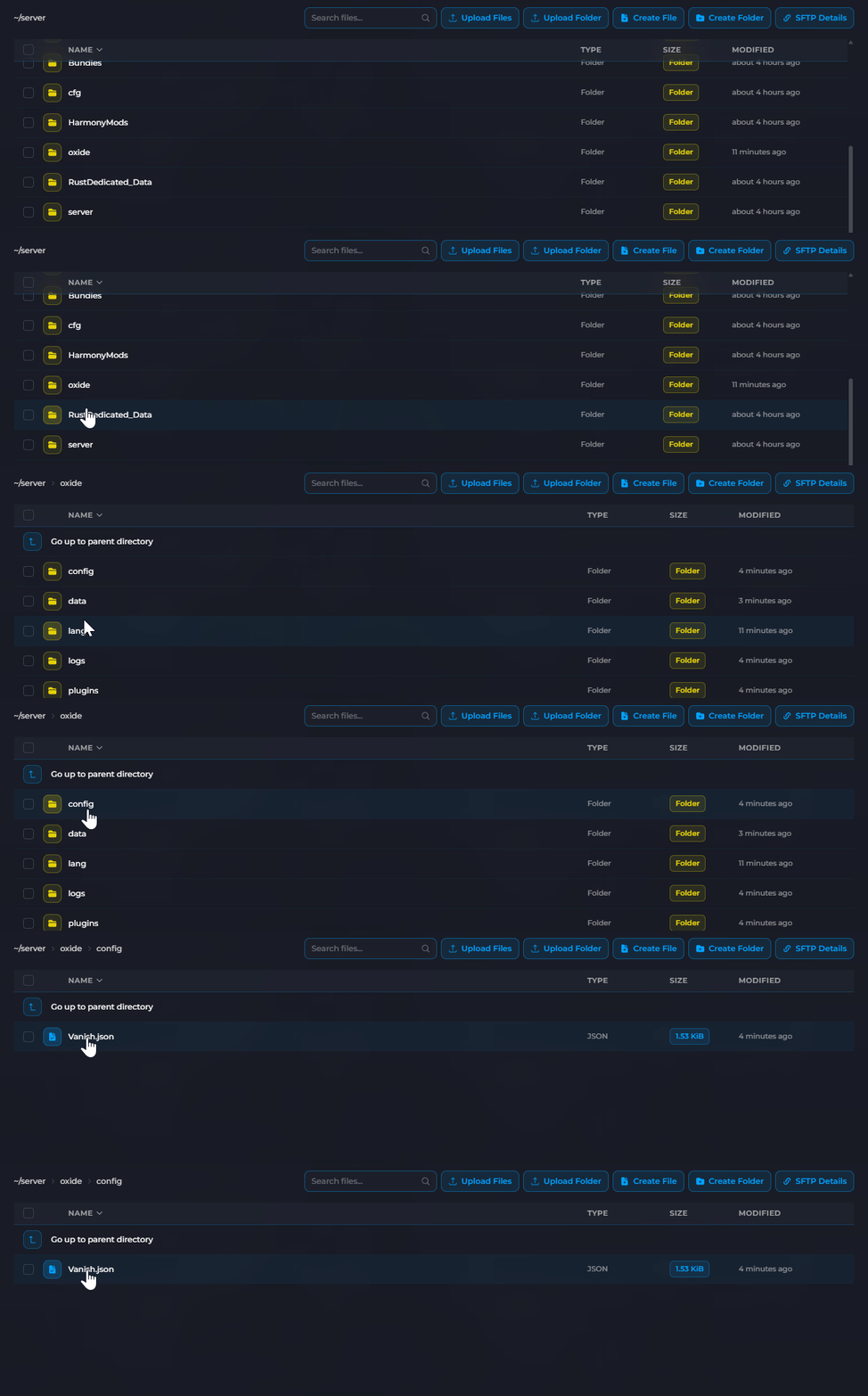
- Click on
BetterLoot.jsonto open it.
- Edit the settings as needed (see below).
- Click Save then reload the plugin:
oxide.reload BetterLoot
Understanding the Config Options
Better Loot provides extensive control over loot spawns across different container types.
Global Settings
| Setting | Description |
|---|---|
Blueprint Probability |
Chance for blueprints to spawn in loot (0-100) |
Loot Multiplier |
Overall multiplier for loot amounts |
Scrap Multiplier |
Multiplier specifically for scrap drops |
Hammer Loot Cycle |
Enable cycling through loot with hammer hits |
RefreshMinutes |
How often loot respawns in containers |
EnforceBlacklist |
Prevent blacklisted items from spawning |
DropWeaponsWithAmmo |
Weapons spawn with ammo included |
ExtraLootChance |
Chance for bonus items to spawn |
Loot Multipliers
| Setting | Description |
|---|---|
LootMultiplier |
Overall multiplier for loot amounts |
BaseItemRate |
Base chance for items to spawn |
Scrap Multiplier |
Multiplier for scrap amounts in containers |
Container Types
Better Loot can customise loot for different container types:
| Container | Description |
|---|---|
crate_normal |
Standard wooden crates |
crate_normal_2 |
Military crates |
crate_elite |
Elite crates at monuments |
crate_tools |
Tool crates |
crate_underwater_basic |
Underwater basic crates |
crate_underwater_advanced |
Underwater advanced crates |
bradley_crate |
Bradley APC drops |
heli_crate |
Helicopter crash drops |
supply_drop |
Airdrops |
loot_barrel_1 |
Small barrels |
loot_barrel_2 |
Large barrels |
oil_barrel |
Oil barrels |
Example Configuration
Increase loot amounts and refresh rate:
{
  "RefreshMinutes": 15,
  "LootMultiplier": 2.0,
  "Scrap Multiplier": 3.0,
  "Blueprint Probability": 10,
  "ExtraLootChance": 25,
  "DropWeaponsWithAmmo": true
}
Managing the Blacklist
You can prevent specific items from spawning in loot containers using the blacklist commands.
Adding Items to Blacklist
Run this command in the console to blacklist an item:
blacklist additem "item.shortname"
For example, to blacklist the Rocket Launcher:
blacklist additem "rocket.launcher"
Removing Items from Blacklist
Run this command to remove an item from the blacklist:
blacklist deleteitem "item.shortname"
You can find item shortnames on the Rust Labs Items List or by using the /iteminfo command in-game with appropriate plugins.
Data File Locations
Better Loot stores its data in multiple files:
| File | Location | Purpose |
|---|---|---|
| Main Config | oxide/config/BetterLoot.json |
Global plugin settings |
| Loot Tables | oxide/data/BetterLoot/LootTables.json |
Item spawn configurations |
| Blacklist | oxide/data/BetterLoot/Blacklist.json |
Blacklisted items |
| Backups | oxide/data/BetterLoot/Backups/ |
Backup files |
Loot tables are now configured on your server. The changes will apply to newly spawned loot containers.
