
 Rust
RustuMod plugins extend your Rust server with new features like teleportation, kits, economy systems, and more. This guide shows you how to find, download, and install plugins on your server.
You must have uMod installed before adding plugins. See How to Install uMod (Oxide) on Your Rust Server for instructions.
Finding Plugins
- Visit the uMod Rust Plugins page.
- Select the plugin that you want to install then click Download.

Installing a Plugin
- Navigate to the Wabbanode Control Panel and select your Rust server.
- Click the Files tab.

- Navigate to the
oxide/pluginsfolder.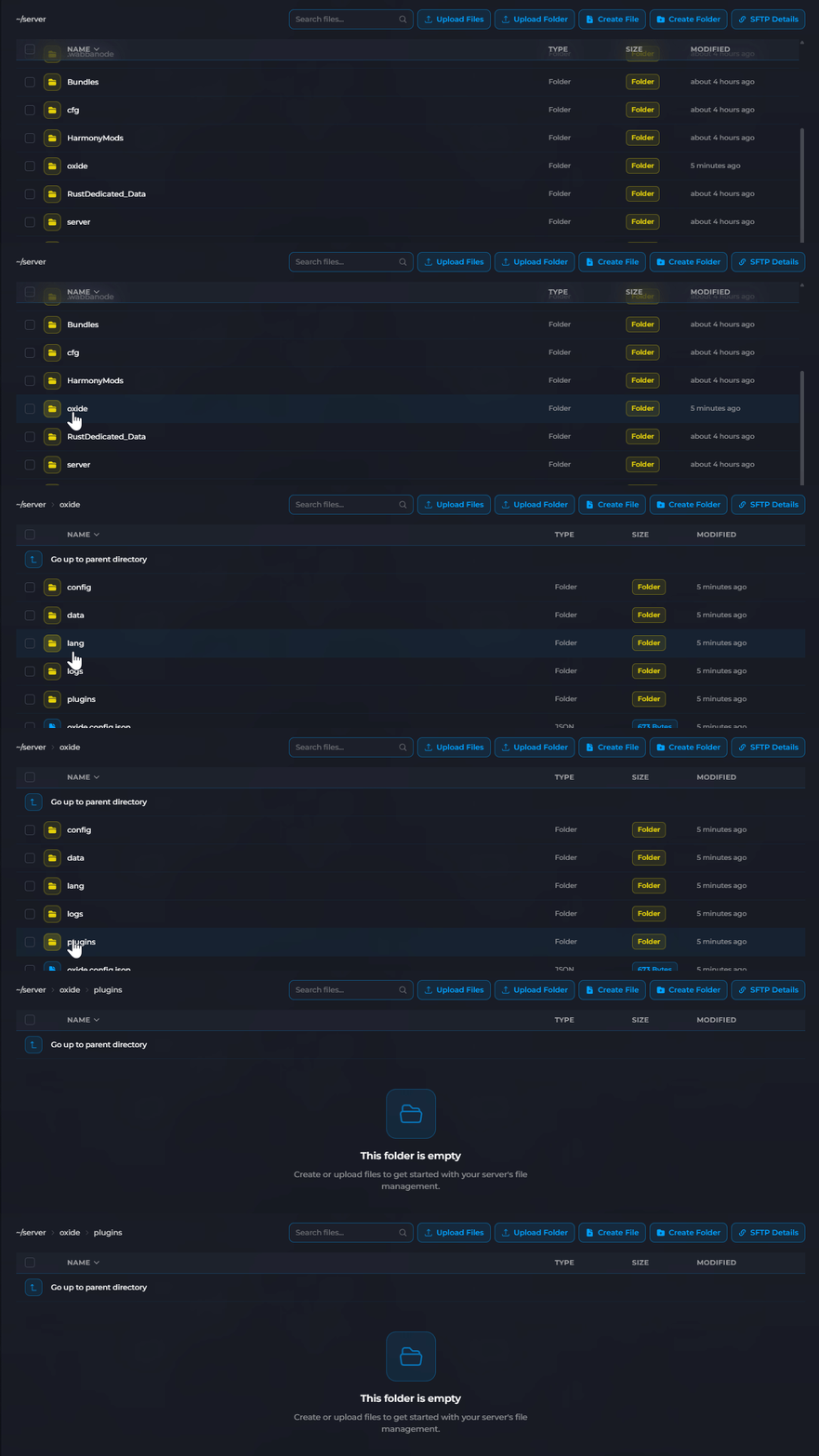
- Click Upload Files and select the
.csplugin file you downloaded.
The plugin will load automatically once uploaded. Check the console for confirmation that the plugin loaded successfully.
Removing a Plugin
To remove a plugin, simply delete the .cs file from the oxide/plugins folder. The plugin will be unloaded immediately.
Your plugin is now installed and running on your server. Many plugins have configuration files in the oxide/config folder and may require additional setup. See How to Configure uMod Plugin Settings for more information.
