
You can request a cancellation for your server at any time through the Wabbanode panel. Once a cancellation is requested, you will retain full access to your server until the end of your current billing period. After the billing period ends, the server is automatically terminated and all files are permanently removed.
Make sure to download any files you want to keep before your billing period ends. Once the server is terminated, all data is permanently deleted and cannot be recovered.
Requesting a Cancellation
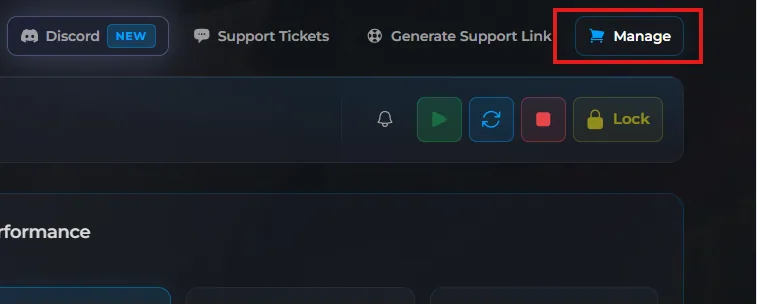
Log in to the Wabbanode Panel and click Manage.
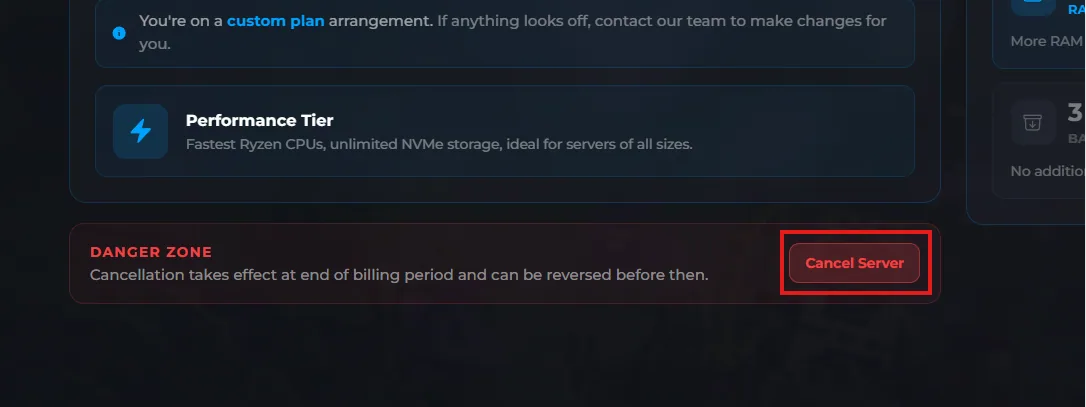
Press the Cancel Server button.
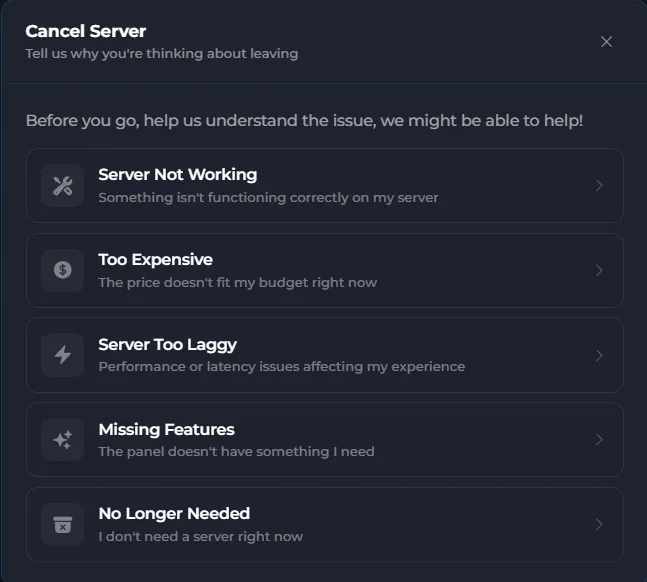
Follow the steps, filling out the reason for cancellation.
Your server will remain active until the end of your current billing period, after which it will be automatically terminated.
If you change your mind before the billing period ends, you can remove the cancellation request by opening a support ticket. See How to Remove a Cancellation Request for details.
