
 Frontier Legends
No one likes losing their progress after spending hours exploring in Frontier Legends. Adjusting your server's auto save timer is a great way to control how often your world data is saved.
Change Auto Save Time
- Navigate to the Wabbanode Control Panel and Stop your server.

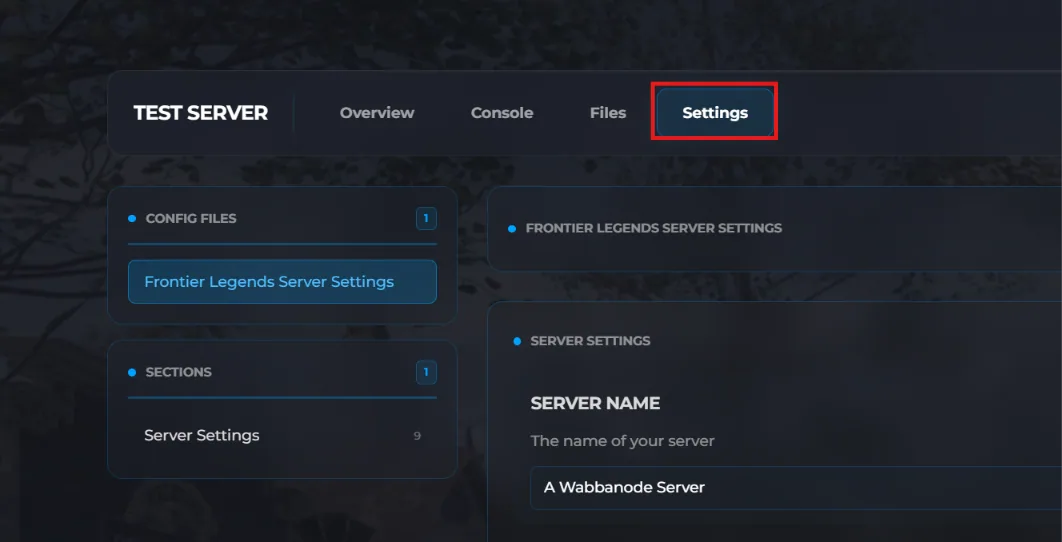
- Click the Settings tab to find your Frontier Legends Server Settings.
- Find the Auto Save Time field and change this to your preferred number in seconds. For example, setting this value to 300 will tell the server to save your progress every five minutes.
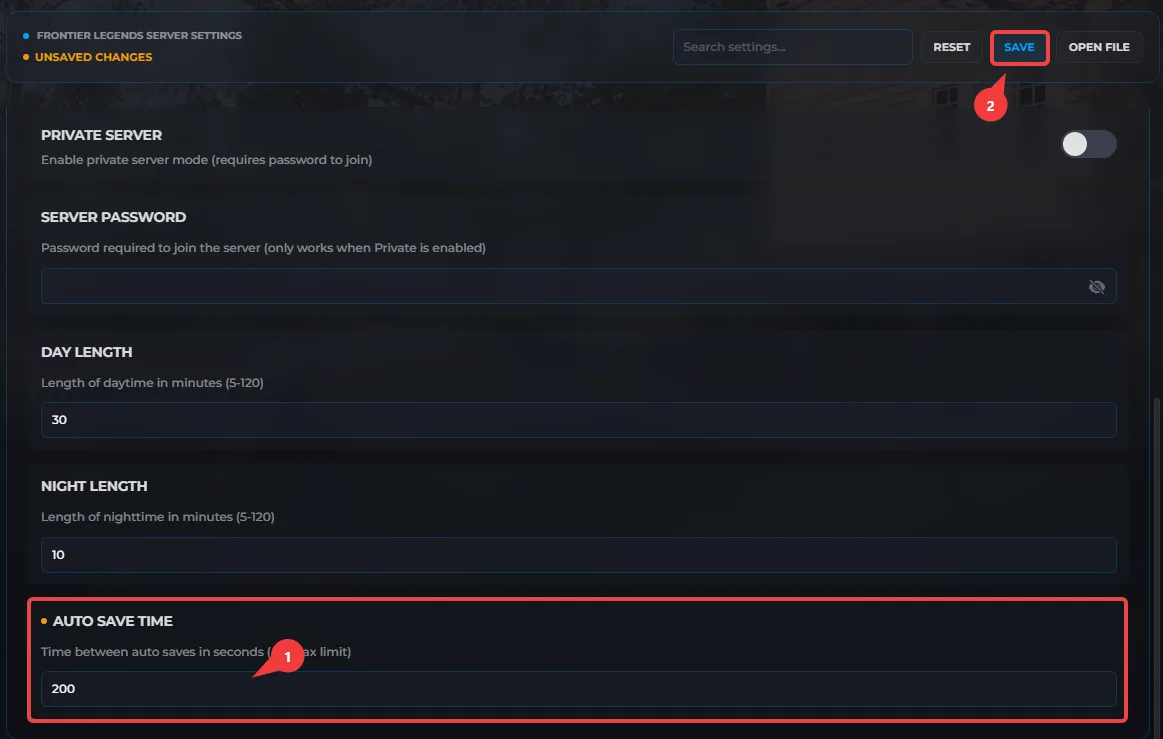
- Click Save and Start your server.
Your Frontier Legends server is now running with a new auto save time. You and your friends can build and explore knowing your world is safely stored.
