
 Frontier Legends
Surviving the night in Frontier Legends can be a challenge when playing with your friends. If you want more time to explore and build in the day, changing the day length on your server is a great idea.
Change the Day Length
- Navigate to the Wabbanode Control Panel and Stop your server.

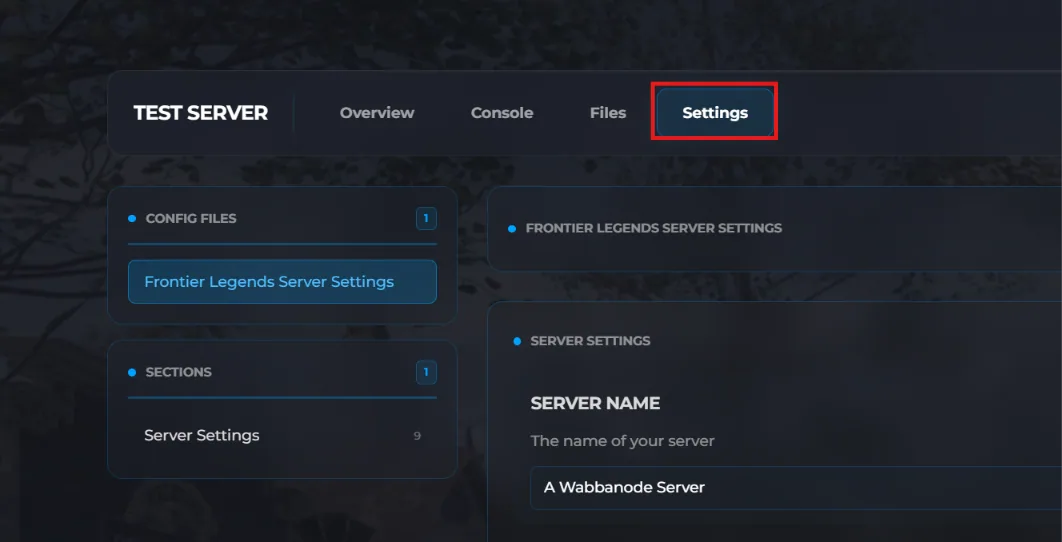
- Click the Settings tab to find your Frontier Legends Server Settings
- Locate the Day Length field and change this to a number between 5 and 120 minutes. For example, setting this value to 60 will make the in-game daytime last one hour.
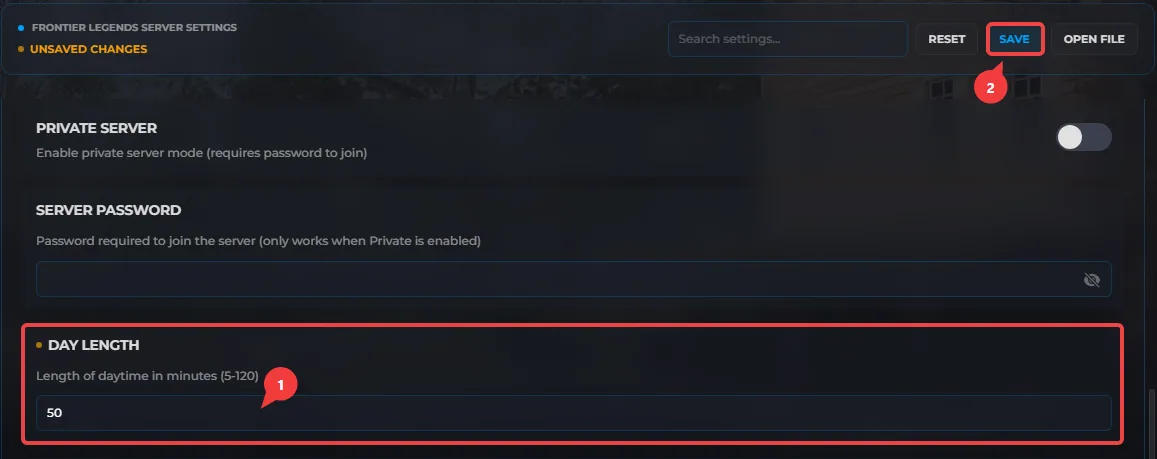
- Click Save and Start your server.
Your Frontier Legends server is now running with a custom day time length. You and your friends can enjoy the perfect amount of time to explore the world of Frontier Legends during the day.
