
 Frontier Legends
Looking to invite more players to your Frontier Legends server? You can easily change the number of players allowed on your server in just a few clicks. Adjusting this setting allows you to either limit how many players can connect or allow up to 30 players to join.
Change Max Players
- Navigate to the Wabbanode Control Panel and Stop your server.

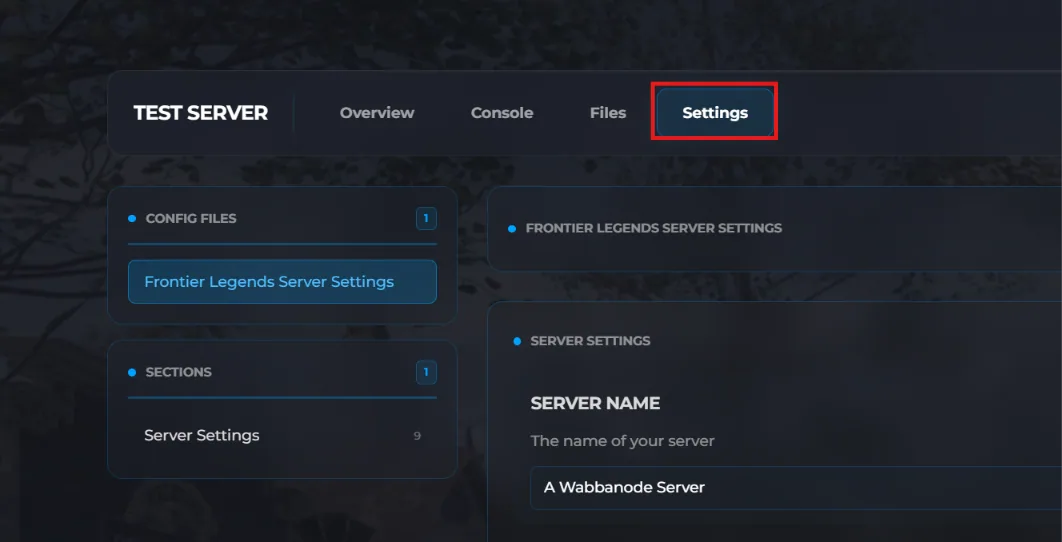
- Click the Settings tab to find your Frontier Legends Server Settings
- Find the Max Players field and change this to your preferred number. For example, setting this value to 15 will allow only fifteen players to connect to your server at a time.
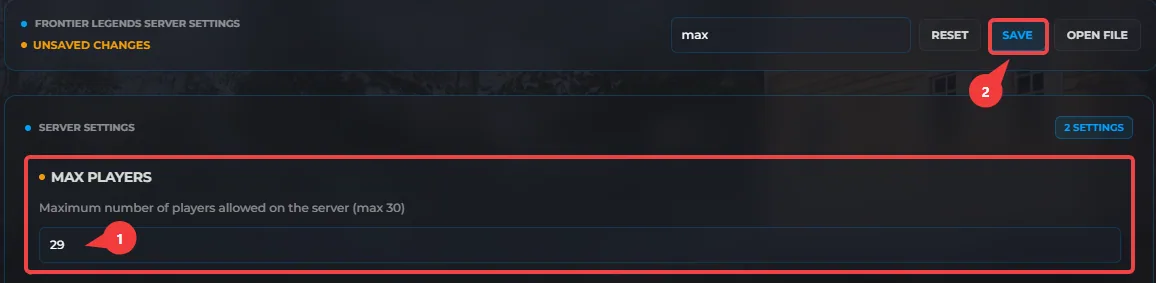 The maximum number of players is limited to 30
 - Click Save and Start your server.
Your Frontier Legends server is now updated with a new player limit. You can invite your entire community to join the server or limit the number of players who can connect.
