
 Frontier Legends
Night time in Frontier Legends brings some challenges and makes exploring much more difficult. If your group is tired of waiting in the dark or you want to make survival even harder, changing the night length on your server is the perfect choice.
Changing night length
- Navigate to the Wabbanode Control Panel and Stop your server.

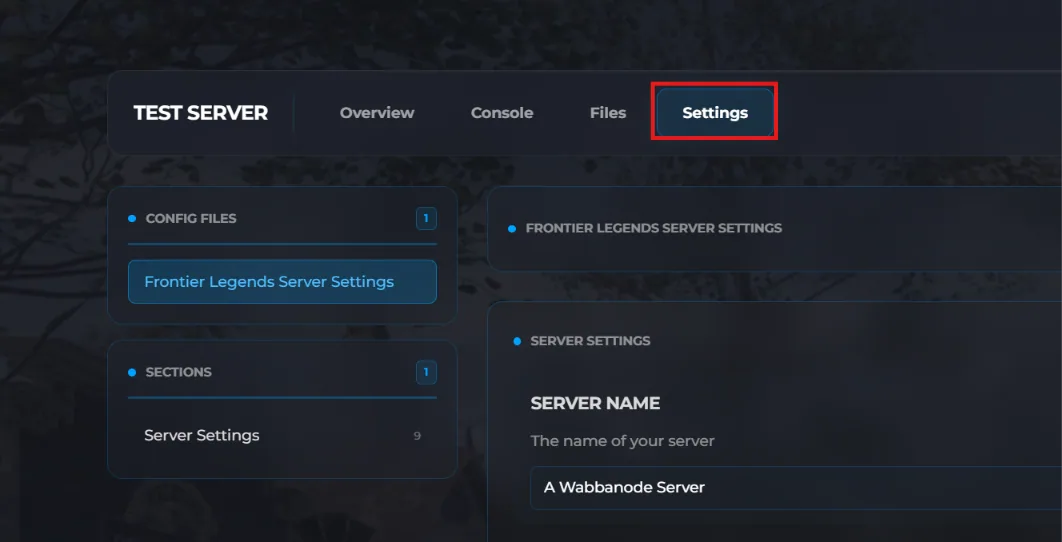
- Click the Settings tab to find your Frontier Legends Server Settings
- Locate the Night Length field and change this to a number between 5 and 120 minutes. For example, setting this value to 10 will make the in-game night pass in exactly ten minutes.
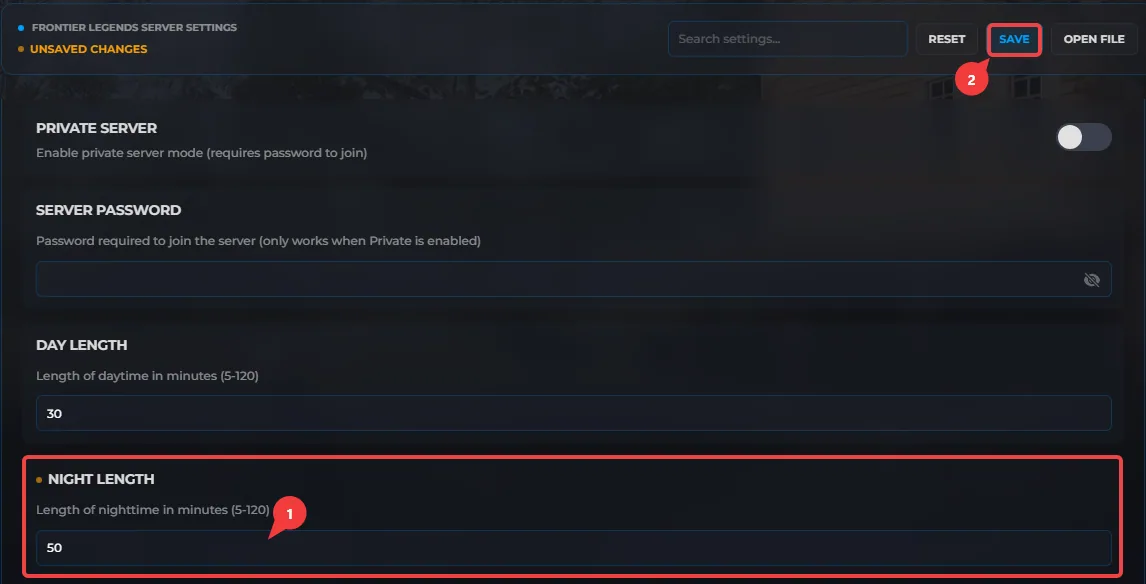
- Click Save and Start your server.
Your Frontier Legends server is now running with a custom night length. You and your friends can enjoy a perfect balance of day and night while exploring.
