
 Frontier Legends
Frontier Legends is an excellent game to enjoy with friends or in multiplayer mode. However, locating your server can be difficult if it still has the default name. Changing the server name makes it easier for others to find and helps your server stand out.
Changing Your Server Name
- Navigate to the Wabbanode Control Panel and Stop your server.

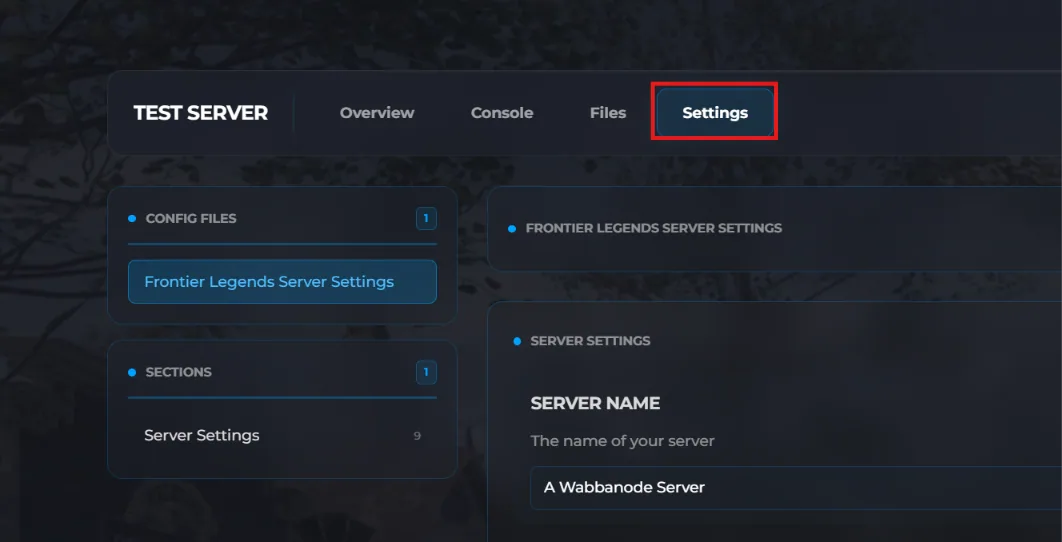
- Click the Settings tab to find your Frontier Legends Server Settings
- Find the Server Name field and change this to a name of your choosing.
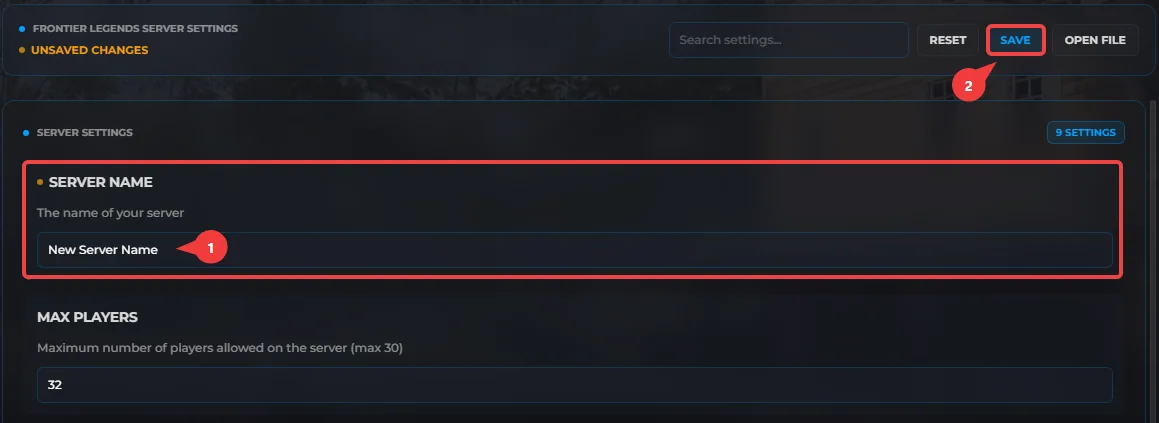
- Click Save and Restart your server.
Your Frontier Legends server name is now updated. Players can easily search for your new server name in the server browser and connect.
