
 Frontier Legends
When hosting your own Frontier Legends server, you can decide how quickly players progress through the game. Changing the XP multiplier is a great way to speed up character progression and let your community focus on building and exploring the world.
Change XP Multiplier
- Navigate to the Wabbanode Control Panel and Stop your server.

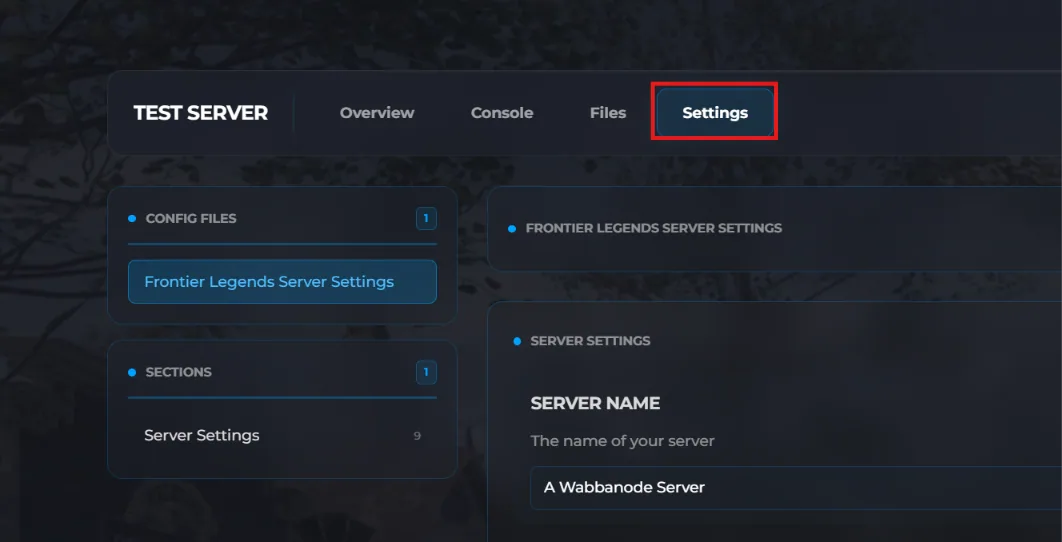
- Click the Settings tab to find your Frontier Legends Server Settings
- Find the XP Multiplier field and change this to your preferred number. For example, setting this value to 5 will result in players earning 5 times as many experience points.The minimum number for the XP Multiplier is 1
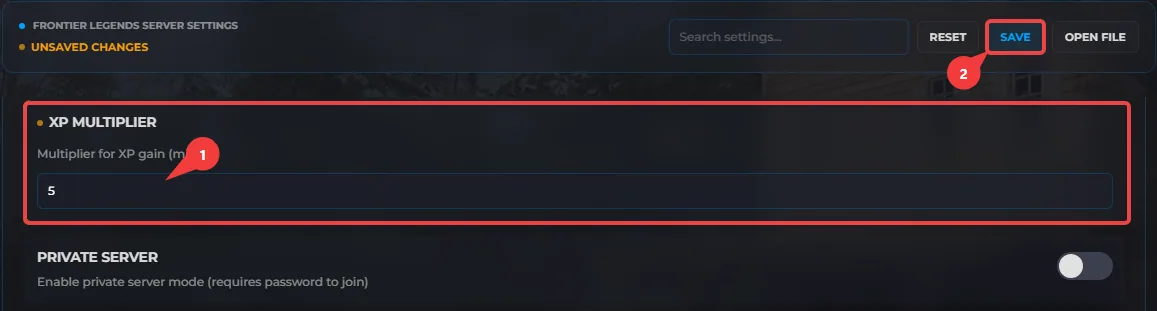
- Click Save and Start your server.
Your Frontier Legends server is now updated with a custom XP multiplier. You now have full control over how quickly your players level up on the server.
