
 Frontier Legends
Frontier Legends is awesome when played with friends, however by default servers are publicly available to anybody that finds your server in-game. Configuring a password is the best way to protect your builds and world from unwanted players.
Setting a Password
- Navigate to the Wabbanode Control Panel and Stop your server.

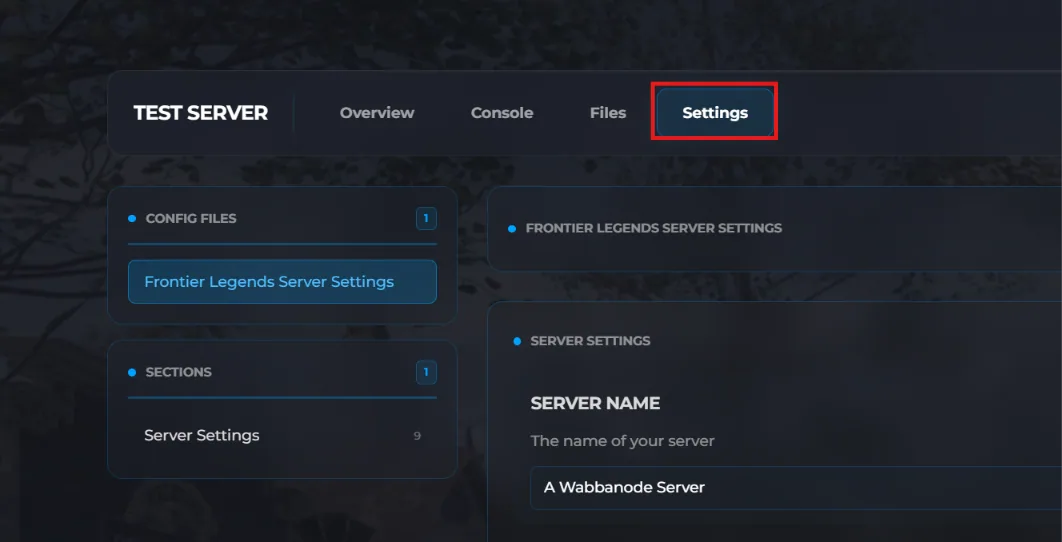
- Click the Settings tab to find your Frontier Legends Server Settings
- Locate the Server Password field and enter your desired password. Afterwards, ensure Private Server has been turned on.
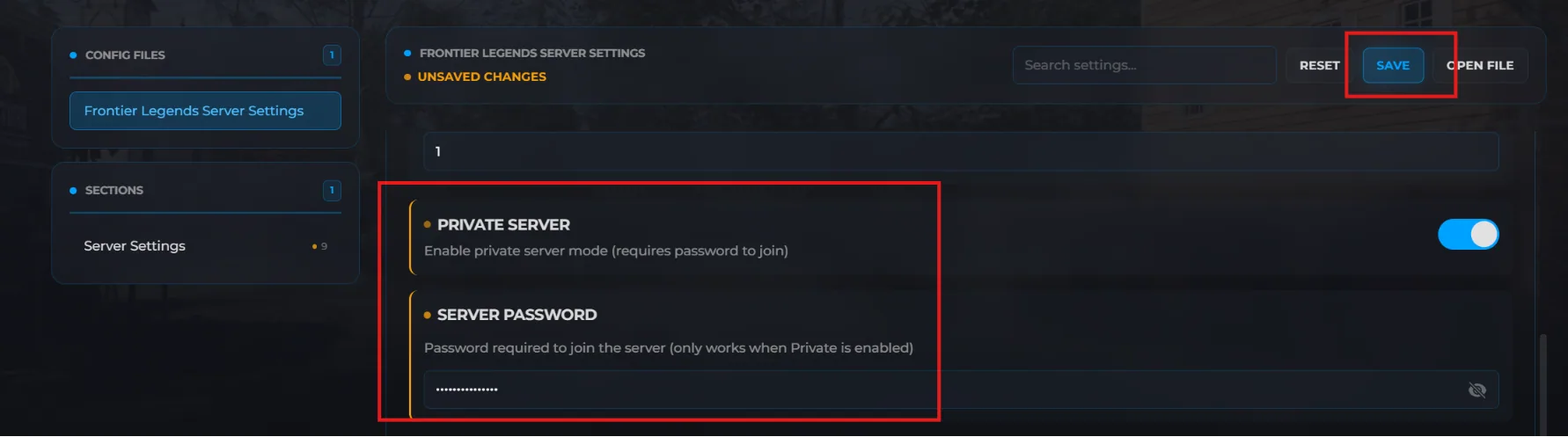
- Click Save and Start your server.
To make your server public again, simply turn Private Server off and restart your server.
Tips
- Share the password only with players you want to allow on your server
- Passwords are case-sensitive
- Choose a password that's easy to share but not easily guessed
Your Frontier Legends server is now password-protected. Only players who enter the correct password will be able to enter your server and play with you.
