
 BeamMP
BeamMP supports custom vehicle mods from the BeamNG.drive community. Vehicle mods are automatically downloaded by players when they connect to your server.
Installing Vehicle Mods
- Download your vehicle mod as a
.zipfile. - Navigate to the Wabbanode Control Panel and Stop your server.

- Go to the Files tab.

- Navigate to the
Resources/Clientfolder.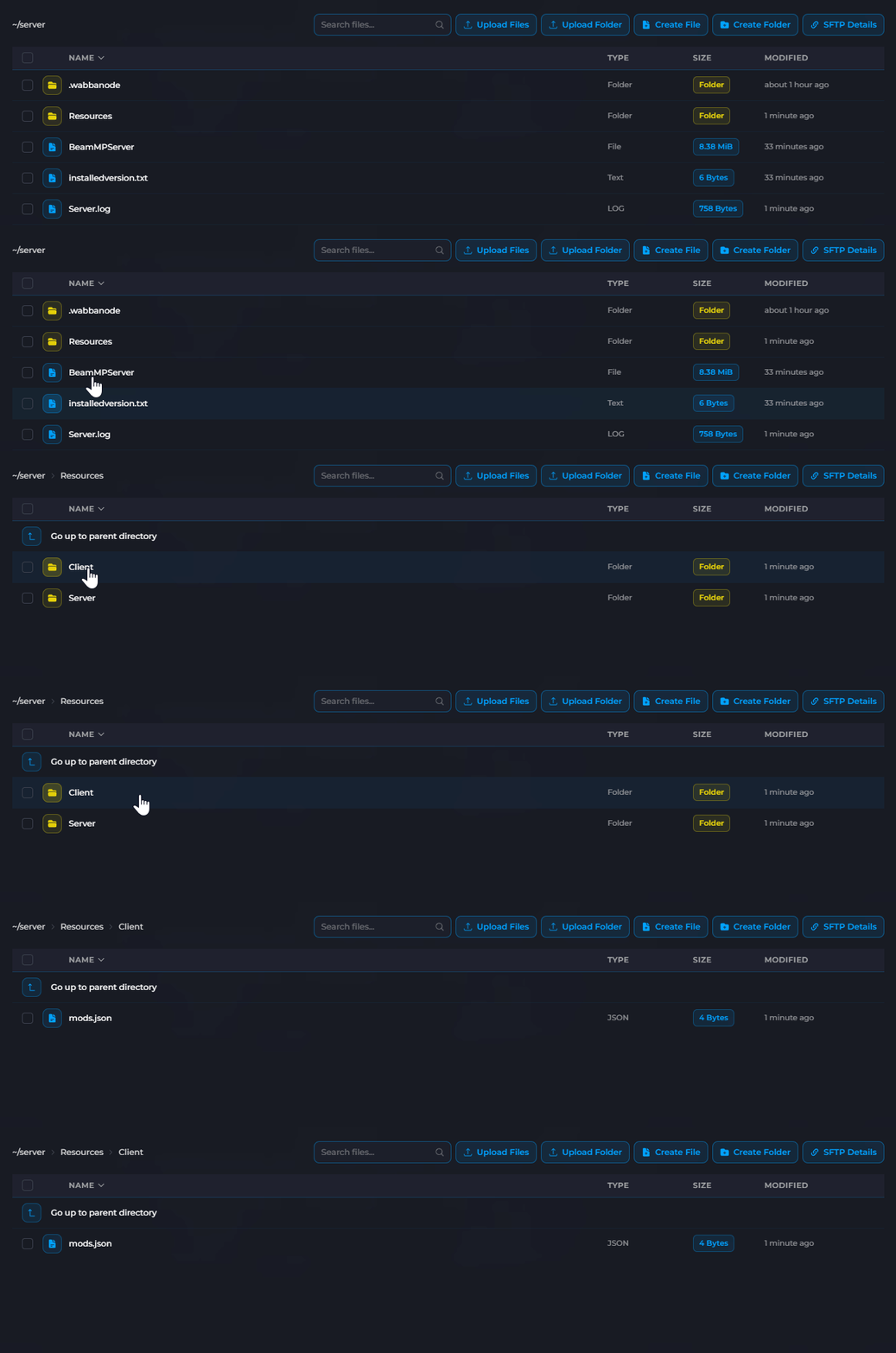
- Upload your vehicle mod
.zipfile. - Start your server.
Do NOT extract the zip files. Upload them as-is to the Resources/Client folder.
How Auto-Download Works
When a player connects to your server:
- BeamMP checks what mods the server has.
- Any missing mods are automatically downloaded.
- Once complete, the player can spawn the custom vehicles.
Players do not need to manually install the mods. Everything is handled automatically by BeamMP.
Managing Multiple Mods
You can install multiple vehicle mods by uploading multiple .zip files to the Resources/Client folder. Each mod will be available to all players.
To remove a mod:
- Stop your server.
- Navigate to
Resources/Clientin the File Manager. - Delete the mod's
.zipfile. - Start your server.
Popular Vehicle Mod Sources
- BeamNG.drive Resources - Official mod repository
- BeamNG.drive Vehicles - Vehicle mods category
Best Practices
- Test mods on a local BeamNG installation first
- Remove mods that cause crashes or issues
- Consider download sizes for players (large mods = longer wait)
- Keep a backup list of installed mod names
Your vehicle mods are installed. Players will automatically download them when connecting to your server.
