
 Frontier Legends
Exploring in Frontier Legends is a lot of fun, however there comes a time when you and your friends might wish to start over. Creating a brand new save file will allow you to completely reset your progress and begin a new adventure. You can easily generate a fresh world in just a few clicks.
Create a new save file
- Navigate to the Wabbanode Control Panel and Stop your server.

- Click the Files tab to find your Frontier Legends Server Files

- Navigate to the
FrontierLegends > Saved > SaveGamesfolder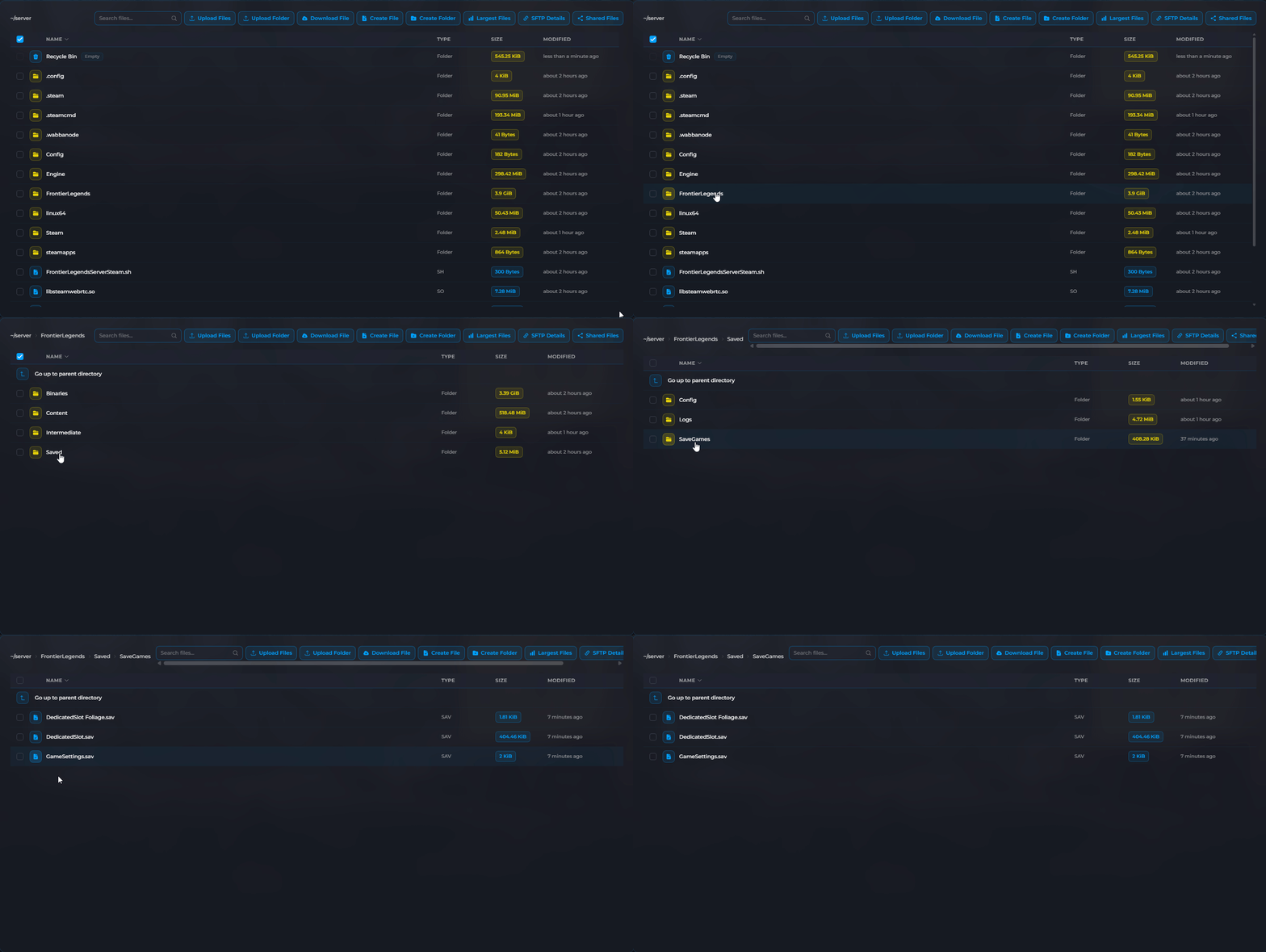
- Select all the files in this folder and click Delete.
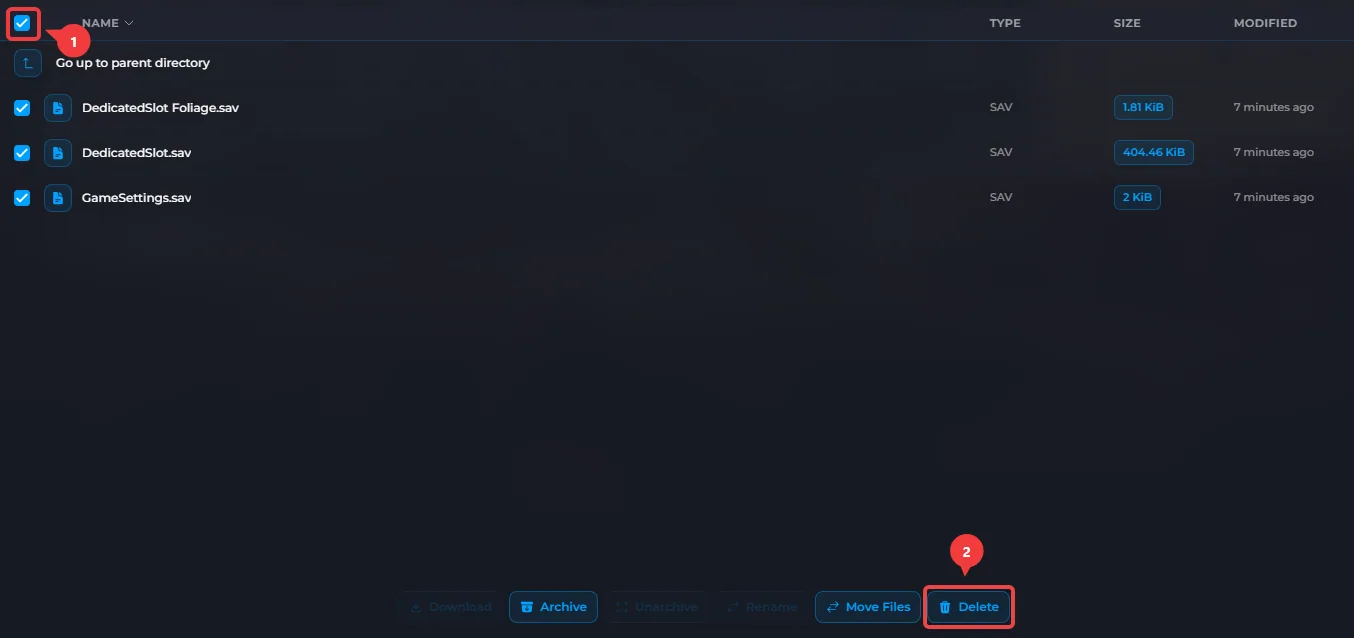 This will permanently delete your current save. Make sure to create a backup of your server files in case you need these files later.
 - Restart your server to create a new save.
Your Frontier Legends server now has a new save file. You can log in to the server, explore your brand-new world, and start from the beginning.
