
 Frontier Legends
Keeping your Frontier Legends server on the latest version is the best way to make sure you and your friends can enjoy the newest updates. Whenever a new update drops on Steam, your server will update automatically with a quick restart.
Automatic Update
- Navigate to the Wabbanode Control Panel.
- Click the Restart button.

Your server will check for the latest Steam version and automatically install it as it starts up.
Manual Update
- Navigate to the Wabbanode Control Panel and Stop your server.

- Click on the Files tab to find your Frontier Legends Server Files

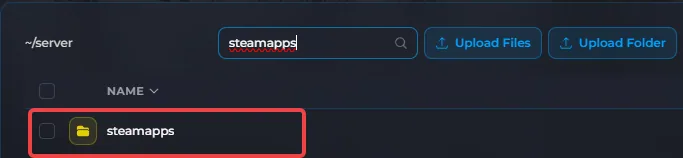
- Locate and open the steamapps folder.
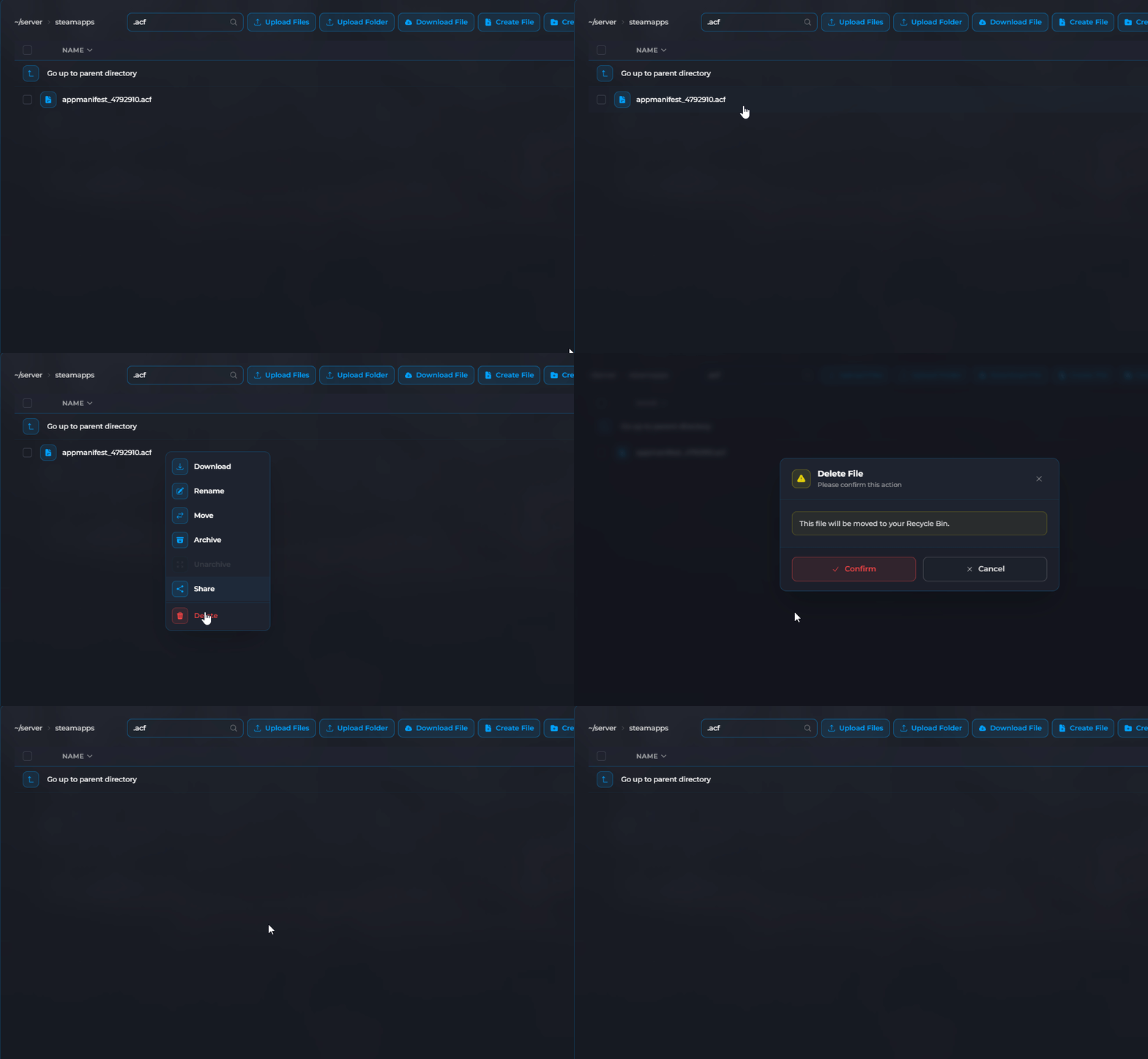
- Select the .acf files, click Delete and then click on Confirm.
- Click Start and let the server fully load.
Tips
- Always let your server fully load after an update before trying to join
- Make sure your players have also updated their game on Steam
- Create a backup of your world just in case anything goes wrong during the update
Your Frontier Legends server is now fully updated to the latest Steam version. You can invite your friends back into the server to enjoy the newest update.
