
DeceasedCraft - Urban Zombie A...Server Hosting
Choose your perfect modpack, configure your server, and launch instantly. Whether you're building with friends or running a community, our powerful hosting makes it easy to get started. Fast, secure, and stress-free.
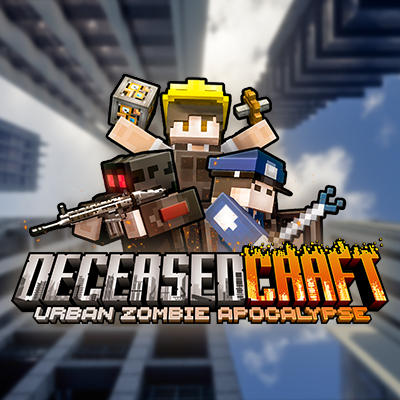
DeceasedCraft - Urban Zombie Apocalypse
317 mods · 8.3M downloads · 1.20.1
12GB RAM
Perfect for 317 mods
$0.00
per month
BACK TO SCHOOL SALE
30% OFF All Server Plans
Use Code
Sale Ends In
Build Your
Perfect Plan
Configure your ideal Minecraft server in minutes. Choose your specs, location and extras, then launch instantly.
DeceasedCraft - Urban Zombie Apocalypse
Explore, loot and shoot your way through cities...
Automatically setup my server with this modpack
Choose Your Plan
Configure your RAM, adjusting for more players if needed
Choose Your Location
Select the best datacenter for your players
Recommended for you
or choose from our 9 other regions
Enhance Your Server
Add extra features and performance boosts
CPU Boost
Extra power
Backups
Extra protection
Dedicated Port
Port 25565
All addons are optional and can be changed later

Your Server
Ready to deploy
RAM
12GB
Location
...
Hardware
CPU
Coming Soon
Total Server Cost
$0.00USD/mo
Instant activation · 7-day refund
Explore Minecraft Server Features
From one-click modpacks and mod installs to a crash helper, player manager and NBT editor, all built into the panel.
Automatic Setup
Experience instant gratification with our Automatic Setup feature, which ensures your server is ready to play in under a minute. This means you can jump straight into the action without wasting time on complicated configurations.
For DeceasedCraft, this feature is particularly beneficial as it allows you to quickly assemble your server and start surviving the zombie apocalypse with friends. No more waiting around; get right into the heart of the action as soon as you want.
Modpack Installer
Our Modpack Installer provides a one-click solution for thousands of modpacks, including DeceasedCraft. This streamlined process means you can easily install the modpack of your choice without any technical hassle.
With over 230 mods in DeceasedCraft, this feature ensures that everything is set up correctly from the start. You can focus on crafting your survival strategy rather than worrying about installation issues.


7-Day Automatic Backups
Wabbanode offers 7-Day Automatic Backups, ensuring that your server data is always safe and easily recoverable. This feature takes daily snapshots of your server, allowing you to restore to a previous state if something goes wrong.
In the intense world of DeceasedCraft, where unexpected challenges arise, having automatic backups gives you peace of mind. You can experiment with new strategies or mods without the fear of losing your progress.
Automatic Crash Detection
Our Automatic Crash Detection feature ensures that your server stays online even during unexpected crashes. If your server goes down, it will automatically restart, minimising downtime and keeping your gameplay uninterrupted.
This is crucial for DeceasedCraft, where every second counts in surviving against the undead. You and your friends can enjoy seamless gameplay without worrying about server stability.
Full FTP Access
Full FTP Access allows you direct file access to your server, giving you the freedom to modify files, add plugins, or tweak configurations without restrictions. This level of control is particularly useful for experienced players who want to customise their gameplay experience.
For DeceasedCraft, this means you can easily manage mods or make adjustments to enhance your survival tactics. Customisation is key in a dynamic modpack like this, and our FTP access ensures you can do it all.
24/7 Support
With 24/7 Support, our expert team is always available to assist you with any issues or questions you may have. Whether you need help setting up your server or troubleshooting a problem, we've got you covered.
In the fast-paced world of DeceasedCraft, having reliable support means you can quickly resolve any issues and get back to gaming. Our team understands the unique challenges of modded gameplay and is here to help you succeed.
DDOS PROTECTION
Protect your game server from bad actors, DDoS attacks and unauthorized access. We have worked hard to implement robust security measures to safeguard your server and data, giving you peace of mind while you play.
Our servers are equipped with advanced DDoS protection to ensure that we can mitigate high-level attacks on any of our game server's no matter what plan you choose.
MOD INSTALLER
Search CurseForge and Modrinth from inside your panel and add any mod to your server with one click. You never have to download a jar or drag files over FTP.
We sort out the version and pull in whatever dependencies the mod needs, so putting your own pack together is just a case of picking what you want.
SERVER TYPE INSTALLER
Forge, Fabric, Paper, NeoForge, Purpur, Spigot, Vanilla and about fifteen others are one click away in the panel.
Changing your mind later is just as quick. Move to Paper when you want plugins, or over to NeoForge for a newer pack, without swapping a single jar yourself.
 Paper
Paper Fabric
 ForgeNeoForge
 Purpur
 Vanilla
SIMPLE VOICE CHAT
We set up Simple Voice Chat for you. The port is open, the config is written, and the mod stays on the right version as your pack updates.
Nobody has to forward a port or work out why half the group can't hear each other.
PLAYER MANAGER
Kick, ban, op and hand out items from the panel instead of typing commands into the console. You can open any player's inventory and see exactly what they're carrying.
If someone gets griefed, roll back that one player's inventory and leave everyone else's progress alone.
NBT EDITOR
Open the NBT data behind your world in the panel: player data, entities, chests, blocks, items. It's laid out as a tree you can search, and you edit values where they sit.
Handy for repairing an item, unsticking a broken chunk, or fixing entity data without downloading the whole world and finding a desktop tool for it.
MODPACK IMPORTER
Built your own pack in the CurseForge launcher? Export it and drop the zip straight into the panel. We unpack it, pull down every mod it lists and start the server on it.
Same goes for a pack a friend sent over or one you've been tweaking locally for months. Nothing to rebuild by hand on the server.
CUSTOM SUBDOMAINS
Every server gets a free yourname.wabbanode.com address, so nobody has to remember an IP and port. Change it whenever you like from the panel.
SERVER SPLITTING
Divide one plan into several smaller servers. Run a lobby and a survival world, or two different games, off the RAM you already pay for.
GAME SWITCHING
Swap your server to any game we host from the panel. Your plan stays the same, so a Minecraft server can become a Rust server next month without buying another.
DATABASES
Create MySQL databases from the panel for plugins, economies and stats. Credentials are generated for you and ready to paste into a config.
One control panel to manage
every game server
Running a game server with your friends should be easy. That's why we built our own panel around simple, powerful tools that make sense the first time you open them.


Server locations around the world
Choose the location closest to you and your players at no additional cost. We're continuing to add new regions as our network grows.
12+
Locations
99.9%
Uptime


Utah, United States
Low latency for West Coast
What Our Customers Say
Real feedback from gamers who trust us with their server hosting needs
"Hosting my **DeceasedCraft** server on Wabbanode has been a game-changer. The one-click install made it so easy to get started!"
ZombieHunter99
DeceasedCraft player
"The automatic backups have saved me more than once! I can experiment without worrying about losing my progress."
SurvivorSam
DeceasedCraft player
"No lag at all, even with a full group! Wabbanode's performance is top-notch for **DeceasedCraft**."
ParkourPanda
DeceasedCraft player
"I love the full FTP access. It makes tweaking mods and configurations a breeze for my **DeceasedCraft** server."
TechieTom
DeceasedCraft player
"The 24/7 support is fantastic. They helped me resolve a setup issue quickly, and I was back to gaming in no time!"
GamerGirlJess
DeceasedCraft player
"Wabbanode's automatic crash detection keeps my server running smoothly. I've had no downtime while playing **DeceasedCraft**."
CraftyCarl
DeceasedCraft player
How to Make DeceasedCraft - Urban Zombie Apocalypse Server
Creating a DeceasedCraft - Urban Zombie Apocalypse server is incredibly easy with our control panel, fitted with one-click modpack installations.
- Get a Minecraft Server from Wabbanode
- Access your Minecraft Server from our Control Panel. Press Modpacks to access our one-click modpack installer.
- Search for
DeceasedCraft - Urban Zombie ApocalypseorTqLxQuanZin the modpack installer. - Select the latest version, press Install, start your server, and enjoy playing the modpack with your friends.

Best DeceasedCraft Server Hosting
Host your DeceasedCraft server and immerse yourself in a thrilling Minecraft modpack experience. With over 4.8 million downloads on CurseForge, this pack for Minecraft version 1.18.2 offers a unique zombie apocalypse setting complete with modern cities, guns, and a robust parkour system. Enjoy the thrill of survival with friends as you explore this expansive world together.
When you host a DeceasedCraft server, you unlock the potential for persistent worlds, cooperative gameplay, and a vibrant community that thrives even when you're offline. Engage in intense combat, navigate through intricately designed cities, and experience a rich blend of technology and survival mechanics that make this modpack a must-play for fans of the genre.
What your DeceasedCraft server needs
To ensure smooth gameplay in DeceasedCraft, you should consider the following server specifications. Given the mod count of 230, it is recommended to allocate at least 8GB of RAM for optimal performance. A powerful CPU is essential for handling the demanding gameplay and world generation, while NVMe storage will ensure quick load times and efficient data handling.
- RAM: 8GB and up
- CPU: high single-thread speed
- Storage: NVMe
Zombie Survival Awaits
DeceasedCraft is not just about survival; it combines elements of combat, parkour, and tech in a post-apocalyptic world. Explore custom-built modern cities, fend off hordes of zombies, and utilise advanced weaponry to secure your survival. The blend of strategy and action keeps every session engaging, making it perfect for players who thrive on adrenaline-fueled gameplay.
How to host a DeceasedCraft server
With Wabbanode, hosting your DeceasedCraft server is a breeze. Our one-click modpack installer allows you to set up your server in under a minute. Enjoy full file and FTP access to manage your server effortlessly. Easily edit configurations and manage mods with just a few clicks from our user-friendly panel.
- One-click install for DeceasedCraft
- Full FTP access for customisation
- Easy mod and config management
Why Wabbanode
Choose Wabbanode for your DeceasedCraft server hosting needs and benefit from top-tier performance. Our servers are powered by AMD Ryzen 9 CPUs and fast NVMe storage, ensuring your gameplay is smooth and lag-free. With enterprise-grade DDoS protection, daily backups, and 24/7 expert support, you're in safe hands. Get started today and dive into the apocalypse with confidence.
Some of our helpful guides
We have many helpful guides to kickstart your Minecraft server hosting experience with us.
What to Do When Minecraft Authentication Servers Are Down
Learn how to tell if Minecraft's authentication servers are down, where to check for outages, and what to do so players can still join your server.How to Install and Use LuckPerms on Your Minecraft Server
Learn how to install the LuckPerms plugin or mod on your Minecraft server and use LuckPerms commands to manage permissions, groups, and prefixes.How to Use Minecraft Color Codes on Your Server
Learn how to use Minecraft color codes and formatting codes for your server's MOTD, chat, signs, books, and command output on Java Edition or Bedrock Edition.How to Turn Off Minecraft Advancements on Your Server
Learn how to stop advancement chat announcements and fully disable Minecraft advancements or achievements on your Java Edition or Bedrock Edition server.How to Disable Mob Spawning on Your Minecraft Server
Learn several ways to disable mob spawning on your Minecraft server, from server-wide settings to specific mob types.How to Add Mods to an Existing Modrinth Modpack
Learn how to add new mods to an existing Modrinth modpack instance using the Modrinth App's Content tab, then push the updated pack to your Wabbanode server.DeceasedCraft - Urban Zombie Apocalypse server hosting FAQs













Need help
picking a plan?
Our team is online around the clock. Tell us what you want to run and how many players you expect, and we'll point you to the right plan.