

HORROR - Into The Backrooms - ... SERVER HOSTING
Choose your perfect modpack, configure your server, and launch instantly. Whether you're building with friends or running a community, our powerful hosting makes it easy to get started. Fast, secure, and stress-free.

HORROR - Into The Backrooms - Found Footage (dweller)
per month
Customize Your
Perfect Setup
Configure your ideal Minecraft server in minutes. Choose your specs, location, and extras - then launch instantly.
HORROR - Into The Backrooms - Found Footage (dweller)
The classic VHS backrooms experience, but in Mi...
Automatically setup my server with this modpack
Power Your Server
Configure your RAM, adjusting for more players if needed
Choose Your Location
Select the best datacenter for your players

Utah, West US
Low latency for West Coast
Texas, Central US
Optimal for central America
New York, East US
Optimal for East Coast
Miami, Florida
Ideal for South America coverage

Canada
Northern America coverage

London
UK & Ireland access

Germany
Central Europe hub

France
Western Europe coverage

Finland
Nordic region access

Mumbai, India
Low latency across India and South Asia

Singapore
Central APAC

Sydney, Australia
Low latency for the outback
More Locations
Coming Soon
Enhance Your Server
Add extra features and performance boosts
CPU Boost
Extra power
Backups
Extra protection
Dedicated Port
Port 25565
All addons are optional and can be added later
How to Make HORROR - Into The Backrooms - Found Footage (dweller) Server
Creating a HORROR - Into The Backrooms - Found Footage (dweller) server is incredibly easy with our control panel, fitted with one-click modpack installations.
- Get a Minecraft Server from Wabbanode
- Access your Minecraft Server from our Control Panel. Press Modpacks to access our one-click modpack installer.
- Search for
HORROR - Into The Backrooms - Found Footage (dweller)orkamussyin the modpack installer. - Select the latest version, press Install, start your server, and enjoy playing the modpack with your friends.
What is HORROR - Into The Backrooms - Found Footage (dweller)?
Host your Into The Backrooms server
Into The Backrooms is a thrilling Minecraft modpack that immerses players in a world of flickering lights, eerie entities, and mind-bending anomalies. With over 362,914 downloads on CurseForge, this modpack brings the liminal nightmare to life, providing an intense experience that is best shared with friends on a 24/7 server. Hosting your own server allows you to explore this mysterious world together, ensuring that your adventures continue even when you're offline.
As you navigate the unsettling environments and confront various challenges, a hosted server unlocks the potential for persistent worlds and cooperative gameplay. You'll find that teamwork is essential as you face the horrors lurking in the shadows. Into The Backrooms is designed for players who crave exploration, survival, and the thrill of uncovering secrets in a uniquely crafted experience.
What your Into The Backrooms server needs
This modpack is built on the Minecraft 1.20.1 version and includes 28 mods, which means it requires a solid foundation to run smoothly. We recommend starting with at least 8GB of RAM to ensure optimal performance, especially when dealing with the demands of exploration and entity interactions. A strong CPU and NVMe storage are also vital to handle the intense chunk generation and world saves.
- RAM: 6GB and up
- CPU: high single-thread speed
- Storage: NVMe
Unique Gameplay Experience
Into The Backrooms offers an unparalleled experience of suspense and mystery, as players must navigate through eerie environments filled with unpredictable entities. The modpack's blend of horror and adventure creates an atmosphere where every corner turned could reveal a new surprise, making it perfect for those who enjoy a challenge. Expect to engage in exploration, resource management, and survival tactics as you delve deeper into the unknown.
How to host a Into The Backrooms server
With Wabbanode, hosting your own Into The Backrooms server is a breeze. Our one-click modpack installer allows you to set up your server in under a minute, meaning you can jump straight into the action. You’ll have full file and FTP access to make any necessary adjustments, plus the ability to manage mods and configurations easily from our user-friendly panel.
- One-click install
- Full FTP access
- Easy mod and config management
Why Wabbanode
At Wabbanode, we pride ourselves on offering top-tier hardware for your gaming needs. Our servers are powered by AMD Ryzen 9 CPUs and equipped with fast NVMe storage, ensuring that your Into The Backrooms server runs smoothly without lag. We also provide enterprise-grade DDoS protection, daily backups, and 24/7 support to keep your experience seamless and enjoyable. Enjoy instant setup and a free subdomain, so you can get started on your adventure right away.
What's Included
Automatic Setup
Server ready to play in under a minute.
Modpack Installer
One-click install for thousands of modpacks.
7-Day Automatic Backups
Daily backups, always ready to restore.
Automatic Crash Detection
Auto-restarts keep your server online.
Custom Subdomains
Free friendly server IP addresses
Server Splitting
Split your server into multiple sub-servers.
Instance Switcher
Run multiple worlds on one plan.
Game Switching
Switch to any supported game, anytime.
Scheduled Tasks
Automate restarts, backups, and commands.
Databases
MySQL databases included for plugins.
DDoS Protection
Enterprise-grade protection, always on.
Full FTP Access
Direct file access, no restrictions.
24/7 Support
Expert help available around the clock.
Automatic Setup
With our automatic setup feature, your server is ready to play in under a minute. This means you can dive straight into the chilling world of Into The Backrooms without any delays.
This is crucial for players who want to experience the suspense and excitement immediately. No complicated setups mean you can gather your friends and start exploring the eerie landscapes as soon as you want.
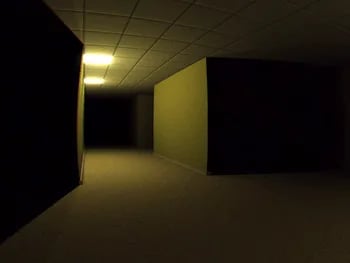
Modpack Installer
Our one-click modpack installer simplifies the process of hosting your server. You can choose Into The Backrooms from our extensive library and have it installed with a single click, removing the hassle of manual setup.
This feature is particularly beneficial for this modpack, allowing you to focus on the gameplay and the thrilling atmosphere without worrying about technical challenges. Enjoy a seamless installation experience that gets you right into the action.
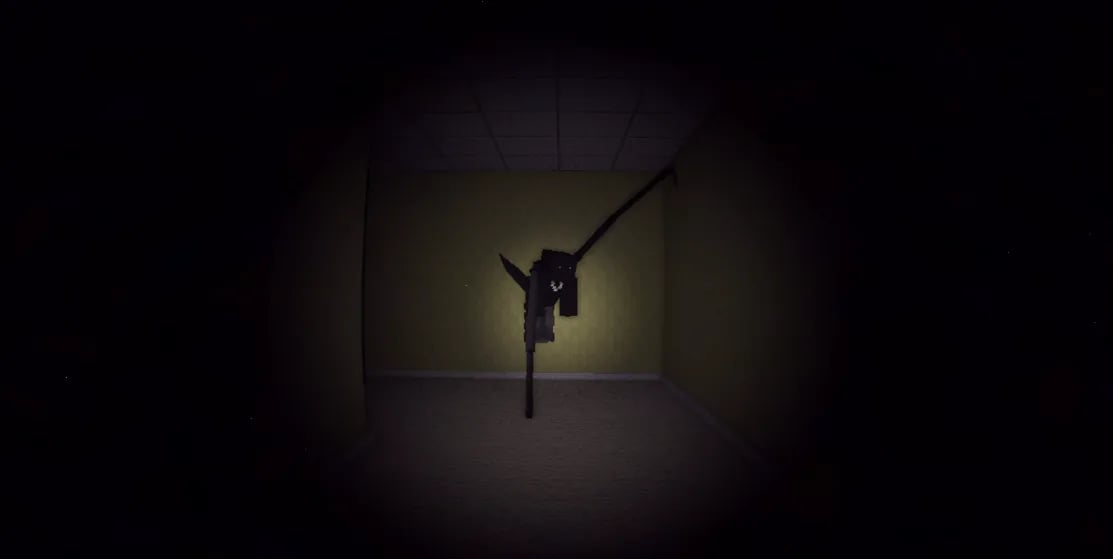
7-Day Automatic Backups
Wabbanode provides daily backups of your server automatically, ensuring that your progress is always safe. These backups can be restored easily, giving you peace of mind while you explore the Backrooms.
With the unpredictable nature of Into The Backrooms, this feature is vital. If you encounter a game-breaking glitch or lose progress, you can quickly restore your server to a previous state without losing hours of hard work.

Automatic Crash Detection
Our servers come equipped with automatic crash detection, which ensures that your server will restart if it goes down. This feature keeps your gameplay uninterrupted, allowing you to maintain immersion in the game.
For a modpack like Into The Backrooms, where exploration can lead to unexpected challenges, this feature is essential. You and your friends can enjoy continuous gameplay without worrying about server stability.

24/7 Support
Our expert support team is available around the clock to assist you with any issues or questions you may have. Whether you need help with setup or troubleshooting, we are here to help.
This is especially important for players diving into Into The Backrooms, as you may encounter unique challenges. With support available at any time, you can focus on your adventure while knowing help is just a message away.
Full FTP Access
With full FTP access, you have direct control over your server files. This feature allows you to make custom modifications and tweaks to enhance your gameplay experience.
For players of Into The Backrooms, having this level of control means you can adjust configurations or add custom content to tailor the experience to your liking. This flexibility helps you fully immerse yourself in the chilling atmosphere of the modpack.
Explore Features
Discover the powerful features that make your server hosting experience seamless and reliable.
What Our Customers Say
Real feedback from gamers who trust us with their server hosting needs
Reviewer names may have been anonymised to protect our customers’ privacy.
“My experience thus far with Wabbanode has been excellent. I am not a pro when it comes to tech or knowing exactly how to set up a server. The service has helped setup my se...”
“All of the workers assisting with server side issues are really nice and respectful, and are very quick to get things fixed or configured.”
“Tabby was absolutely amazing and so dang kind and sweet, amazing customer service 10/10 prices are expensive but would come back again and again because of being treated so nicely”
“I run a Minecraft community with their servers and Im really pleased. They have a decent panel which just works and the owner seems really knowledgeable and regularly giv...”
“I currently have a project zomboid server with them and it has been running great over the last 2 months with mods. They also have good support which makes things very easy”
“I love this site the support is the best i ever had and the server performance is so so good”
“Tabby M did an amazing job helping me transfer my server from my old host to Wabbanode. He also helped me set up extra features I didn’t even know about, and everything is...”
“My girlfriend and I used to use bisect hosting to play modded Minecraft together, and it was good until she wanted to make her own modpack. We couldn't figure it out and t...”
“Markus In Particular Was Extremely Helpful I Will 100% Be Using This Server Host From Now On. Keep Up The Good Work. Love Yall's Company!”
Some of our helpful guides
We have many helpful guides to kickstart your Minecraft server hosting experience with us.
What to Do When Minecraft Authentication Servers Are Down
Learn how to tell if Minecraft's authentication servers are down, where to check for outages, and what to do so players can still join your server.
How to Install and Use LuckPerms on Your Minecraft Server
Learn how to install the LuckPerms plugin or mod on your Minecraft server and use LuckPerms commands to manage permissions, groups, and prefixes.
How to Use Minecraft Color Codes on Your Server
Learn how to use Minecraft color codes and formatting codes for your server's MOTD, chat, signs, books, and command output on Java Edition or Bedrock Edition.
How to Turn Off Minecraft Advancements on Your Server
Learn how to stop advancement chat announcements and fully disable Minecraft advancements or achievements on your Java Edition or Bedrock Edition server.
How to Disable Mob Spawning on Your Minecraft Server
Learn several ways to disable mob spawning on your Minecraft server, from server-wide settings to specific mob types.
How to Add Mods to an Existing Modrinth Modpack
Learn how to add new mods to an existing Modrinth modpack instance using the Modrinth App's Content tab, then push the updated pack to your Wabbanode server.
You can also talk with
Our TeamSetup anywhere at no extra cost
We're actively expanding our server locations so you can play with anyone around the globe with low ping
Server Locations
Click to explore each datacenter



Utah, West US
Low latency for West Coast
Frequently Asked Questions
Everything you need to know about our game server hosting. Can't find what you're looking for? Contact our support team.
How much RAM do I need for a Into The Backrooms server?
For your Into The Backrooms server, we recommend a minimum of 8GB of RAM. This ensures that your server can handle the demands of the 28 mods included in the pack, providing a smooth experience.
As you explore the environment and encounter various entities, having adequate RAM is crucial for performance. If you plan to run additional mods or have many players, consider scaling up your RAM for the best experience.
How do I install Into The Backrooms on my server?
Installing Into The Backrooms on your server is simple with Wabbanode. Our one-click modpack installer allows you to select the modpack and have it set up instantly, so you can start playing right away.
After installation, you can access your server settings and files via our user-friendly panel. This makes managing your server and any adjustments you want to make incredibly straightforward.
Can I play Into The Backrooms with friends?
Absolutely! Hosting your own Into The Backrooms server allows you and your friends to play together in a persistent world. You can explore the eerie environments and face challenges as a team.
This cooperative gameplay is what makes the modpack truly enjoyable. With your server always online, you can invite friends to join you anytime, ensuring that your adventures continue without interruption.
Does Wabbanode support Into The Backrooms?
Yes, Wabbanode fully supports Into The Backrooms. You can easily host this modpack on our platform with all the features you need for a smooth experience.
With our automatic setup, one-click installer, and dedicated support, you can focus on enjoying the gameplay without worrying about technical issues. We're here to help you every step of the way.
How do I update my Into The Backrooms server?
Updating your Into The Backrooms server is straightforward with Wabbanode. You can manage updates easily from our control panel, ensuring your server always runs the latest version of the modpack.
Regular updates are essential for performance and compatibility, especially as new mods or fixes are released. Keeping your server updated helps you maintain a smooth gaming experience.
Can I add or remove mods?
Yes, you can add or remove mods on your Into The Backrooms server. With full FTP access, you have the flexibility to customize your server to fit your preferences.
This feature allows you to enhance your gameplay experience by adding new content or adjusting existing mods. Just be mindful of mod compatibility to ensure everything runs smoothly.

What are you waiting for?
Or talk with
Our Team