
Medieval MC [FABRIC] MMC1Server Hosting
Choose your perfect modpack, configure your server, and launch instantly. Whether you're building with friends or running a community, our powerful hosting makes it easy to get started. Fast, secure, and stress-free.
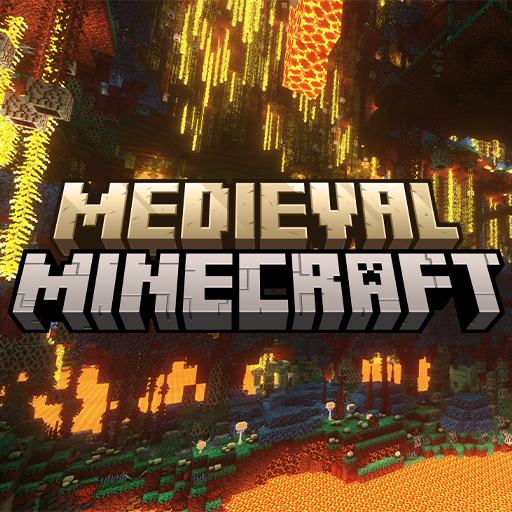
Medieval MC [FABRIC] MMC1
402 mods · 4.4M downloads · 1.19.2
12GB RAM
Perfect for 402 mods
$25.12$35.88
per month
FROST SALE
30% OFF All Server Plans
Use Code
Sale Ends In
Build Your
Perfect Plan
Configure your ideal Minecraft server in minutes. Choose your specs, location and extras, then launch instantly.
Medieval MC [FABRIC] MMC1
Version 1.19.2 | Medieval Fantasy RPG Adventure...
Automatically setup my server with this modpack
Choose Your Plan
Configure your RAM, adjusting for more players if needed
Choose Your Location
Select the best datacenter for your players
Recommended for you
or choose from our 9 other regions
Enhance Your Server
Add extra features and performance boosts
CPU Boost
Comes with 5 performance cores
Backups
Comes with 3 configurable backups for extra protection
Dedicated Port
Port 25565
All addons are optional and can be changed later

Your Server
Ready to deploy
RAM
12GB
Location
...
Hardware
CPU
Coming Soon
Discount
FROST3030% offTotal Server Cost
$35.88$25.12USD/mo
Instant activation · 7-day refund
Explore Minecraft Server Features
From one-click modpacks and mod installs to a crash helper, player manager and NBT editor, all built into the panel.
Automatic Setup
Our automatic setup feature ensures that your server is ready to play in under a minute. This means you can jump straight into your Medieval MC [FABRIC] MMC1 adventures without any delays.
This is particularly beneficial for players eager to explore the medieval landscapes and quests. With instant access, you and your friends can quickly immerse yourselves in the game without wasting time on setup.
Modpack Installer
The one-click modpack installer allows you to easily install Medieval MC [FABRIC] MMC1, along with thousands of other modpacks. This feature simplifies the process of getting your server up and running.
For players of this modpack, it means you can focus on your adventures and exploration rather than dealing with complicated installations. The convenience of one-click installation makes it easy to manage your gaming experience.


7-Day Automatic Backups
With our daily automatic backups, your server data is always safe and ready to restore. This feature ensures that you do not lose progress in your Medieval MC [FABRIC] MMC1 adventures.
For players engaged in quests and community builds, having reliable backups means peace of mind. You can explore freely, knowing that your server can be restored if anything goes wrong.
Automatic Crash Detection
Our automatic crash detection feature monitors your server and restarts it if it goes down. This ensures that your Medieval MC [FABRIC] MMC1 server stays online, allowing you and your friends to play without interruptions.
This is crucial for maintaining an active gaming experience, especially in a multiplayer setting where you want your adventures to continue seamlessly. Players can enjoy their quests without worrying about server downtime.
Full FTP Access
With full FTP access, you have direct control over your server files without any restrictions. This means you can easily modify configurations, add plugins, or tweak settings for your Medieval MC [FABRIC] MMC1 server.
This level of control is essential for players who want to customise their experience. You can ensure that your server runs exactly how you envision it, enhancing your gameplay.
24/7 Support
Our expert support team is available around the clock to assist you with any issues or questions you may have. This means you are never alone in your hosting experience.
For players of Medieval MC [FABRIC] MMC1, having access to 24/7 support is invaluable. Whether you need help with server management or gameplay questions, our team is here to help you enjoy your adventure.
DDOS PROTECTION
Protect your game server from bad actors, DDoS attacks and unauthorized access. We have worked hard to implement robust security measures to safeguard your server and data, giving you peace of mind while you play.
Our servers are equipped with advanced DDoS protection to ensure that we can mitigate high-level attacks on any of our game server's no matter what plan you choose.
MOD INSTALLER
Search CurseForge and Modrinth from inside your panel and add any mod to your server with one click. You never have to download a jar or drag files over FTP.
We sort out the version and pull in whatever dependencies the mod needs, so putting your own pack together is just a case of picking what you want.
SERVER TYPE INSTALLER
Forge, Fabric, Paper, NeoForge, Purpur, Spigot, Vanilla and about fifteen others are one click away in the panel.
Changing your mind later is just as quick. Move to Paper when you want plugins, or over to NeoForge for a newer pack, without swapping a single jar yourself.
 Paper
 Fabric
 ForgeNeoForge
 Purpur
 Vanilla
SIMPLE VOICE CHAT
We set up Simple Voice Chat for you. The port is open, the config is written, and the mod stays on the right version as your pack updates.
Nobody has to forward a port or work out why half the group can't hear each other.
PLAYER MANAGER
Kick, ban, op and hand out items from the panel instead of typing commands into the console. You can open any player's inventory and see exactly what they're carrying.
If someone gets griefed, roll back that one player's inventory and leave everyone else's progress alone.
NBT EDITOR
Open the NBT data behind your world in the panel: player data, entities, chests, blocks, items. It's laid out as a tree you can search, and you edit values where they sit.
Handy for repairing an item, unsticking a broken chunk, or fixing entity data without downloading the whole world and finding a desktop tool for it.
MODPACK IMPORTER
Built your own pack in the CurseForge launcher? Export it and drop the zip straight into the panel. We unpack it, pull down every mod it lists and start the server on it.
Same goes for a pack a friend sent over or one you've been tweaking locally for months. Nothing to rebuild by hand on the server.
CUSTOM SUBDOMAINS
Every server gets a free yourname.wabbanode.com address, so nobody has to remember an IP and port. Change it whenever you like from the panel.
SERVER SPLITTING
Divide one plan into several smaller servers. Run a lobby and a survival world, or two different games, off the RAM you already pay for.
GAME SWITCHING
Swap your server to any game we host from the panel. Your plan stays the same, so a Minecraft server can become a Rust server next month without buying another.
DATABASES
Create MySQL databases from the panel for plugins, economies and stats. Credentials are generated for you and ready to paste into a config.
One control panel to manage
every game server
Running a game server with your friends should be easy. That's why we built our own panel around simple, powerful tools that make sense the first time you open them.


Server locations around the world
Choose the location closest to you and your players at no additional cost. We're continuing to add new regions as our network grows.
12+
Locations
99.9%
Uptime


Utah, United States
Low latency for West Coast
What Our Customers Say
Real feedback from gamers who trust us with their server hosting needs
"Setting up my server was a breeze with Wabbanode! I was playing Medieval MC [FABRIC] MMC1 in no time."
KnightOfTheRealm
Medieval MC [FABRIC] MMC1 player
"The automatic backups give me peace of mind. I can focus on my adventures without worrying about losing progress."
LunaPixelFan
Medieval MC [FABRIC] MMC1 player
"I love the 24/7 support! They helped me with some config tweaks to enhance my gameplay experience."
RPGExplorer92
Medieval MC [FABRIC] MMC1 player
"The server runs smoothly with no lag, even with a full group of friends exploring together."
SirBuildsALot
Medieval MC [FABRIC] MMC1 player
"I appreciate the full FTP access. It makes customising my server for Medieval MC [FABRIC] MMC1 so easy."
QuestMaster2000
Medieval MC [FABRIC] MMC1 player
"Wabbanode's automatic crash detection has been a lifesaver. My server stays online, and my adventures never stop."
AdventureSeeker
Medieval MC [FABRIC] MMC1 player
How to Make Medieval MC [FABRIC] MMC1 Server
Creating a Medieval MC [FABRIC] MMC1 server is incredibly easy with our control panel, fitted with one-click modpack installations.
- Get a Minecraft Server from Wabbanode
- Access your Minecraft Server from our Control Panel. Press Modpacks to access our one-click modpack installer.
- Search for
Medieval MC [FABRIC] MMC1orLunaPixelStudiosin the modpack installer. - Select the latest version, press Install, start your server, and enjoy playing the modpack with your friends.

Host your Medieval MC [FABRIC] MMC1 server
Medieval MC [FABRIC] MMC1 is a captivating Minecraft modpack that immerses players in a rich Medieval Fantasy RPG Adventure. With over 4 million downloads on CurseForge, hosting your server allows you to engage with friends in a persistent world, exploring quests and adventures together 24/7.
This modpack is perfect for players seeking an engaging co-op experience, where you can build, explore, and embark on quests while your server is always online. Enjoy the thrill of medieval exploration and adventure, all while sharing the experience with your friends.
What your Medieval MC [FABRIC] MMC1 server needs
To ensure smooth gameplay, your Medieval MC [FABRIC] MMC1 server should have a solid foundation. Given the immersive nature of this modpack, it is recommended to allocate at least 8GB of RAM for optimal performance. A powerful CPU and fast NVMe storage are essential for handling the demands of chunk generation and world saves.
- RAM: 8GB and up
- CPU: high single-thread speed
- Storage: NVMe
Adventure Awaits
Medieval MC [FABRIC] MMC1 offers a unique blend of RPG elements and exploration, allowing players to dive into a world filled with quests, rich lore, and engaging gameplay. Experience the thrill of adventure, master medieval skills, and build your kingdom as you play with friends in this enchanting modpack.
How to host a Medieval MC [FABRIC] MMC1 server
With Wabbanode, you can easily host your Medieval MC [FABRIC] MMC1 server using our one-click modpack installer. Gain full control over your server with file access through FTP, allowing you to edit configurations and manage mods effortlessly.
- One-click modpack install
- Full file and FTP access
- Easy version and mod management
Why Wabbanode
At Wabbanode, we provide powerful AMD Ryzen 9 CPUs and fast NVMe storage, ensuring your Medieval MC [FABRIC] MMC1 server runs smoothly. Our enterprise-grade DDoS protection and free daily backups offer peace of mind, while our 24/7 support ensures you have help whenever you need it.
Some of our helpful guides
We have many helpful guides to kickstart your Minecraft server hosting experience with us.
What to Do When Minecraft Authentication Servers Are Down
Learn how to tell if Minecraft's authentication servers are down, where to check for outages, and what to do so players can still join your server.How to Install and Use LuckPerms on Your Minecraft Server
Learn how to install the LuckPerms plugin or mod on your Minecraft server and use LuckPerms commands to manage permissions, groups, and prefixes.How to Use Minecraft Color Codes on Your Server
Learn how to use Minecraft color codes and formatting codes for your server's MOTD, chat, signs, books, and command output on Java Edition or Bedrock Edition.How to Turn Off Minecraft Advancements on Your Server
Learn how to stop advancement chat announcements and fully disable Minecraft advancements or achievements on your Java Edition or Bedrock Edition server.How to Disable Mob Spawning on Your Minecraft Server
Learn several ways to disable mob spawning on your Minecraft server, from server-wide settings to specific mob types.How to Add Mods to an Existing Modrinth Modpack
Learn how to add new mods to an existing Modrinth modpack instance using the Modrinth App's Content tab, then push the updated pack to your Wabbanode server.Medieval MC [FABRIC] MMC1 server hosting FAQs















Need help
picking a plan?
Our team is online around the clock. Tell us what you want to run and how many players you expect, and we'll point you to the right plan.